Music Distribution
White Label Management System
A complete music distribution website for managing music releases, revenue tracking, wallet management, and artist/label collaboration — the best music release management dashboard built for scale.
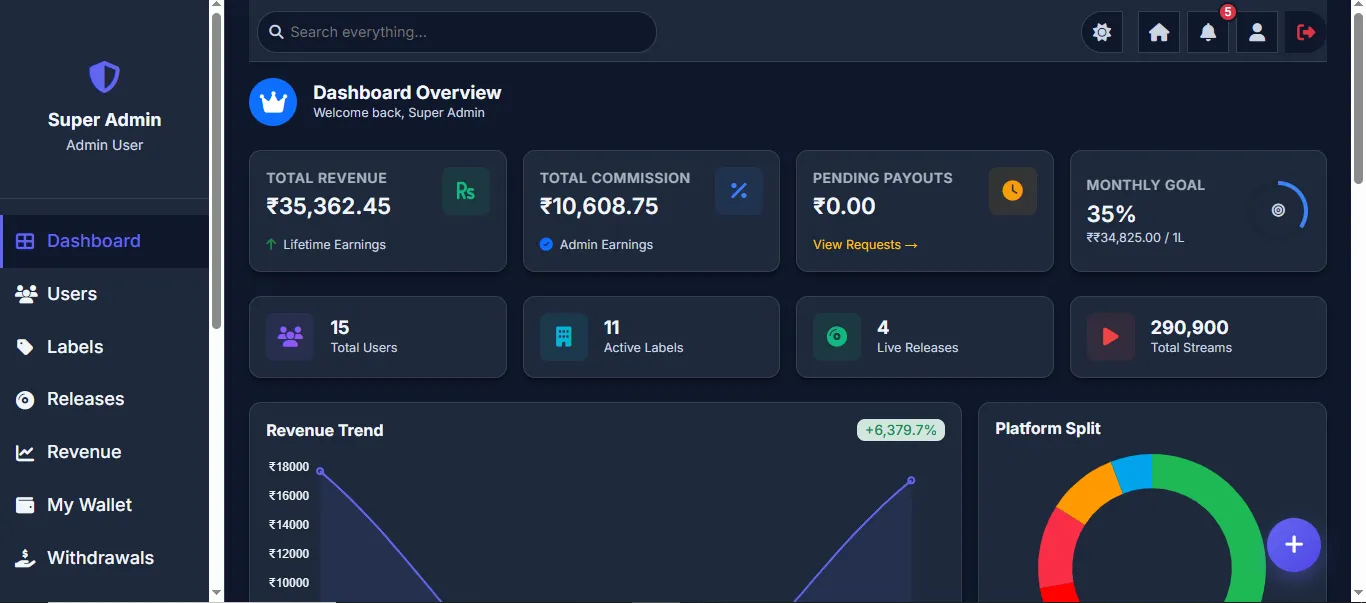
Table of Contents
1Product Overview
What is the Music Distribution Management System and what problems does it solve?
The Music Distribution Management System is a web-based platform that enables artists and record labels to distribute their music to global streaming platforms like Spotify, Apple Music, Amazon Music, JioSaavn, and more. It provides a complete ecosystem for managing releases, tracking revenue, handling payments, and facilitating collaboration between artists, labels, and platform administrators. This system does not include direct distributor integration. Music distribution and payouts are handled manually through the platform.
Important Workflow Clarification
- No third-party distributor integration is included in this system.
- Releases can be downloaded from the system, and the client will upload them manually to their own purchased distributor dashboard (such as Believe, Coretune, or any other distribution platform).
- Revenue reports will be uploaded manually via CSV/Excel file by Admin/Moderator.
- Payments will be processed manually via Net Banking — Admin transfers funds and uploads payment proof.
- If you have an official distributor dashboard, integration can be implemented separately.
Frontend Website (Public Section)
Dashboard Structure (6 Role System)
The platform includes 6 separate role-based dashboards. Each user role has its own login, dashboard, and set of features based on their access level.
Complete system control. Can manage all users, labels, releases, revenue, admins, and all settings. Cannot be deleted.
All features except Admin Management. Handles day-to-day operations. Can be created/deleted by Super Admin.
Permission-based access. Super Admin assigns which features this role can access during account creation.
Only view access. Can see dashboard, users, labels, releases data but cannot edit or modify anything.
Artists manage their own releases, labels, revenue reports, wallet, and withdrawal requests from their personal dashboard.
Each label gets its own independent login. Can manage releases, view revenue, track wallet, and request withdrawals separately.
The Problem: Independent artists and small labels struggle to distribute music to multiple platforms, track revenue across platforms, and manage payments efficiently. Manual processes lead to errors, delays, and lack of transparency.
The Solution: A centralized, automated platform that handles the entire music distribution lifecycle — from upload to revenue collection — with complete transparency, real-time tracking, and automated financial management.
Who Is This For?
This platform is built for anyone involved in the music distribution business — from independent artists to large distribution companies.
| User Type | Who Are They? | Real-World Example |
|---|---|---|
| Independent Artists | Musicians who create their own music and want to release it on streaming platforms like Spotify, Apple Music, JioSaavn, etc. They register on this platform, create a label, upload their songs, and track their earnings — all from one place. | A singer-songwriter who records songs at home, uploads them through this platform, and earns royalties when people stream their music online. |
| Record Labels | Small to mid-size music labels that manage multiple artists under their brand. They handle releases for all their artists, collect streaming revenue, and distribute payments. Each label gets its own dashboard and wallet on this platform. | A label managing 50+ artists — they upload releases on behalf of artists, track platform-wise revenue, and pay each artist their share through the wallet system. |
| Music Distributors | Companies that act as the bridge between artists/labels and streaming platforms. They onboard multiple labels, process monthly royalty reports, manage revenue splits, and handle bulk payouts. This platform is the tool they use to manage all of this. | A distribution company with 100+ labels — they use this platform to upload CSV revenue reports, auto-split earnings, process withdrawals, and keep audit records for all labels. |
What Makes This Platform Different?
Fully Automated Revenue Split
Upload a single CSV file — the system automatically identifies each release by ISRC code, calculates admin/artist/label shares, and credits every wallet instantly.
Multi-Label Architecture
One artist can create and manage multiple labels, each with its own separate login, dashboard, wallet, and bank details.
Progressive Web App (PWA)
The platform can be installed on mobile devices like a native app — works offline, sends push notifications, and provides an app-like experience.
Dark Mode Support
Full dark mode support across all panels — automatically detects user preference and allows manual toggle.
2Why Choose This Platform?
Key reasons why this is the right solution for your music distribution business.
100% White-Label Solution
Complete branding freedom. Add your own logo, company name, colors, and domain. Your clients will see only your brand — no QuraishiTech branding anywhere in the final product.
Full Source Code Handover
You get the complete source code — PHP, HTML, CSS, JS, database schema, and all assets. No encrypted files, no hidden dependencies. Full ownership to modify as needed.
One-Time Purchase
No monthly fees, no recurring charges, no per-user pricing. Pay once and use forever. Deploy on your own server and manage independently.
Dedicated Support & Training
Post-delivery support included. We provide setup assistance, deployment guidance, and documentation. Customization requests handled separately with quick turnaround.
Scalable Architecture
Built to handle 50,000+ users with optimized queries, chunked CSV processing, background email queue, and efficient database design. Grows with your business.
Live Demo Available
Don't just read about it — see it in action. A fully functional live demo is available so you can explore every feature, every panel, and every workflow before you commit.
3Key Features
Core capabilities that power the platform.
Release Management
Multi-step release wizard with artwork upload, audio file upload, platform selection, and status tracking (Draft → Pending → Approved → Live).
Revenue Tracking
Platform-wise revenue reports with date filters, charts, and export options. Bulk CSV upload for revenue data with automatic ISRC matching.
Wallet System
Individual wallets for users, labels, and admin. Automatic revenue crediting with complete transaction history and balance tracking.
Payment Processing
Withdrawal requests, admin approval workflow, payment receipt upload, and automated email notifications on payment completion.
Label Management
Users can create and manage multiple record labels. Each label gets its own login, dashboard, wallet, and revenue reports.
Email Queue System
Background email processing for welcome emails, release notifications, and payment confirmations. Auto-cleanup of old emails.
Security & Authentication
OTP-based email verification, login attempt monitoring, CSRF protection, encrypted passwords, and role-based access control.
Reports & Export
Detailed analytics dashboards with charts. One-click Excel export for revenue reports, user details, and label details.
4How It Works
End-to-end workflow from registration to revenue collection.
Release Lifecycle
Artist Registration & Verification
Artist signs up → receives OTP via email → verifies account → completes profile (personal info, KYC, bank details) → account activated.
Create Label(s)
Artist creates one or more record labels → each label gets independent login credentials → label can manage its own releases, wallet, and payments.
Submit Release
Artist/Label creates a new release → fills basic details (title, artist, genre, language) → uploads artwork & audio → selects distribution platforms → signs agreement → submits for review.
Admin Review & Approval
Admin reviews the release → checks content quality, metadata accuracy → approves or rejects → status changes to Live or Rejected → email notification sent to artist.
Distribution to Platforms
Approved releases are distributed to selected streaming platforms (Spotify, Apple Music, Amazon Music, YouTube Music, JioSaavn, Wynk Music, Gaana) → songs go live on stores.
Revenue Collection & Distribution
Admin uploads revenue CSV from streaming platforms → system automatically matches by ISRC → calculates admin commission → credits user wallet and label wallet → complete audit trail maintained.
Withdrawal & Payment
User/Label requests withdrawal → admin reviews → approves and processes payment via bank transfer → uploads payment proof → user receives email confirmation with receipt.
Revenue Distribution Model
When admin uploads a revenue CSV file, the system automatically distributes earnings:
Note: The revenue split percentages are configurable per label. The admin commission percentage and label royalty share can be set individually for each label, providing flexible revenue distribution models.
Admin Role Comparison
| Feature | Super Admin | Admin | Sub Admin | Moderator |
|---|---|---|---|---|
| Dashboard Analytics | Full | Full | Full | View Only |
| User Management | Full CRUD | Full CRUD | Configurable | View Only |
| Label Management | Full CRUD | Full CRUD | Configurable | View Only |
| Release Management | Full CRUD | Full CRUD | Configurable | View Only |
| Revenue Management | Upload & View | Upload & View | Configurable | No Access |
| Wallet Access | Full | Full | No Access | No Access |
| Withdrawal Processing | Full | Full | No Access | No Access |
| Admin Management | Create/Edit/Delete | No Access | No Access | No Access |
| Notifications | Send & Receive | Send & Receive | View | View |
| Can Be Deleted | Cannot | By Super Admin | By Super Admin | By Super Admin |
5Super Admin Panel
Complete platform control with full access to every feature — the highest authority in the system.
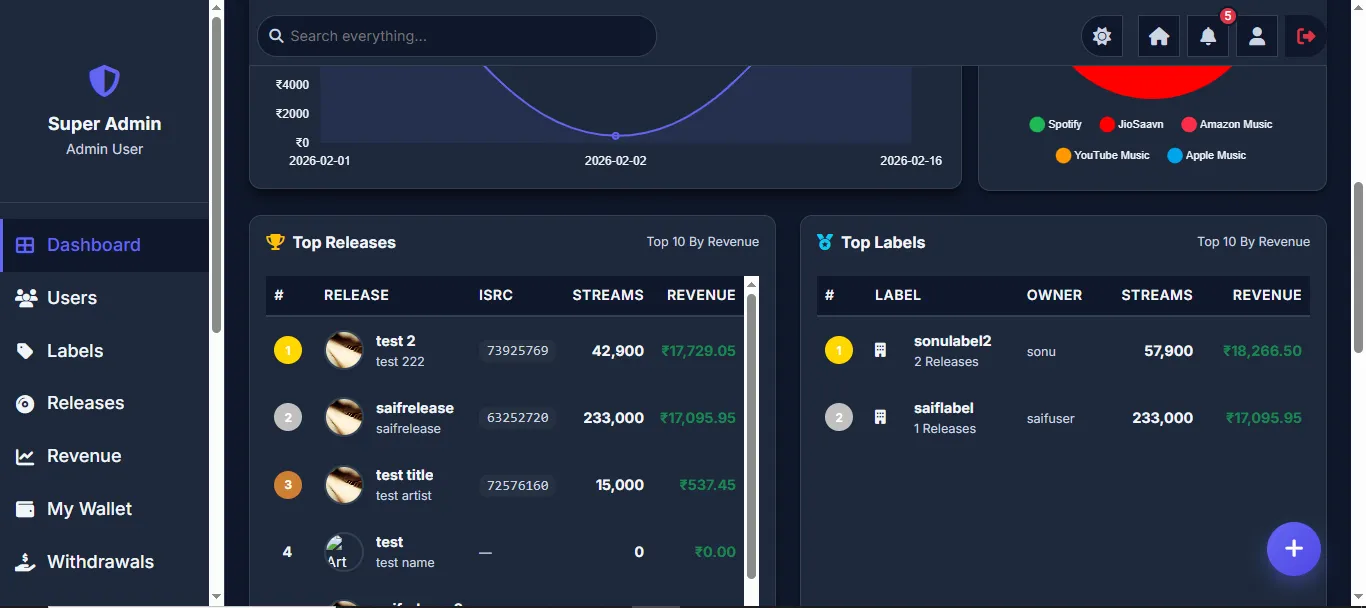
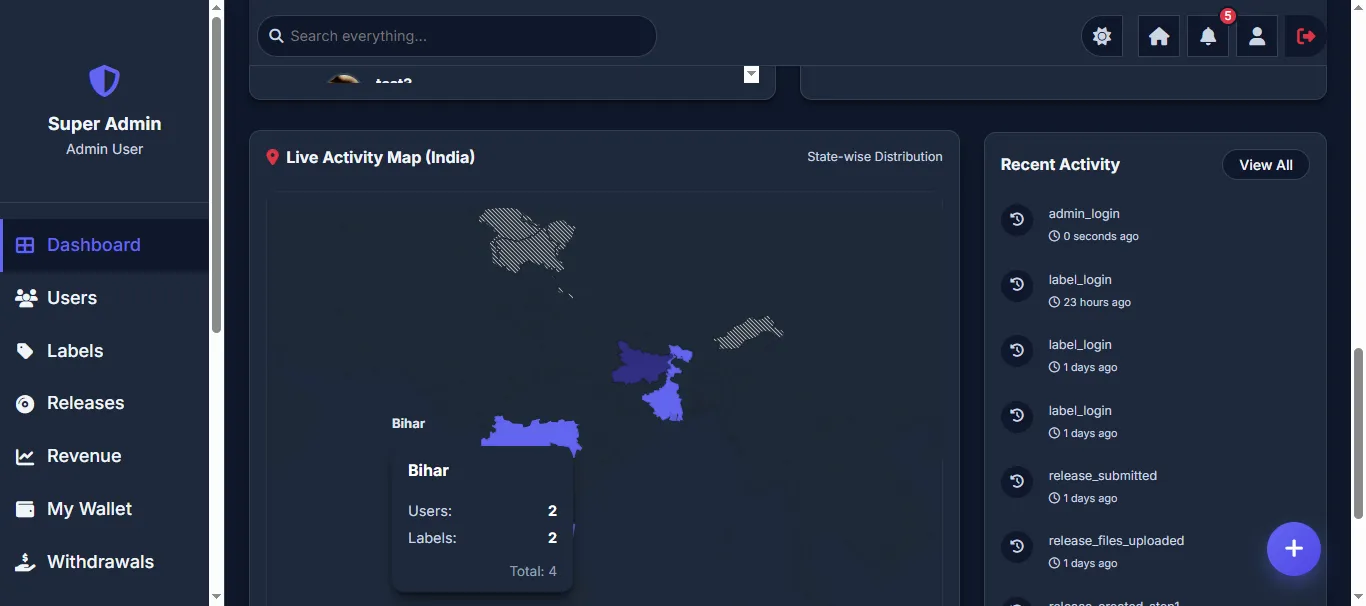
The Super Admin is the highest-level administrator with unrestricted access to every feature of the platform. This role cannot be deleted and has the ability to create, edit, and remove other admin accounts (Admin, Sub Admin, Moderator). The Super Admin dashboard provides a comprehensive bird's-eye view of the entire platform including total revenue, commission earned, pending payouts, monthly goals, total users, active labels, live releases, total streams, revenue trends, platform-wise revenue split, interactive India map showing state-wise user distribution, top releases by revenue, top labels by revenue, and recent activity logs — all in real-time.
The main dashboard shows key metrics at a glance — Total Revenue, Total Commission (admin earnings), Pending Payouts, Monthly Goal progress, Total Users, Active Labels, Live Releases, and Total Streams. Interactive charts display Revenue Trend (month-over-month) and Platform Split (doughnut chart showing revenue distribution across Spotify, JioSaavn, Amazon Music, YouTube Music, Apple Music). A Live Activity Map (India) shows state-wise distribution of users and labels. Top Releases and Top Labels tables rank content by revenue and stream performance.
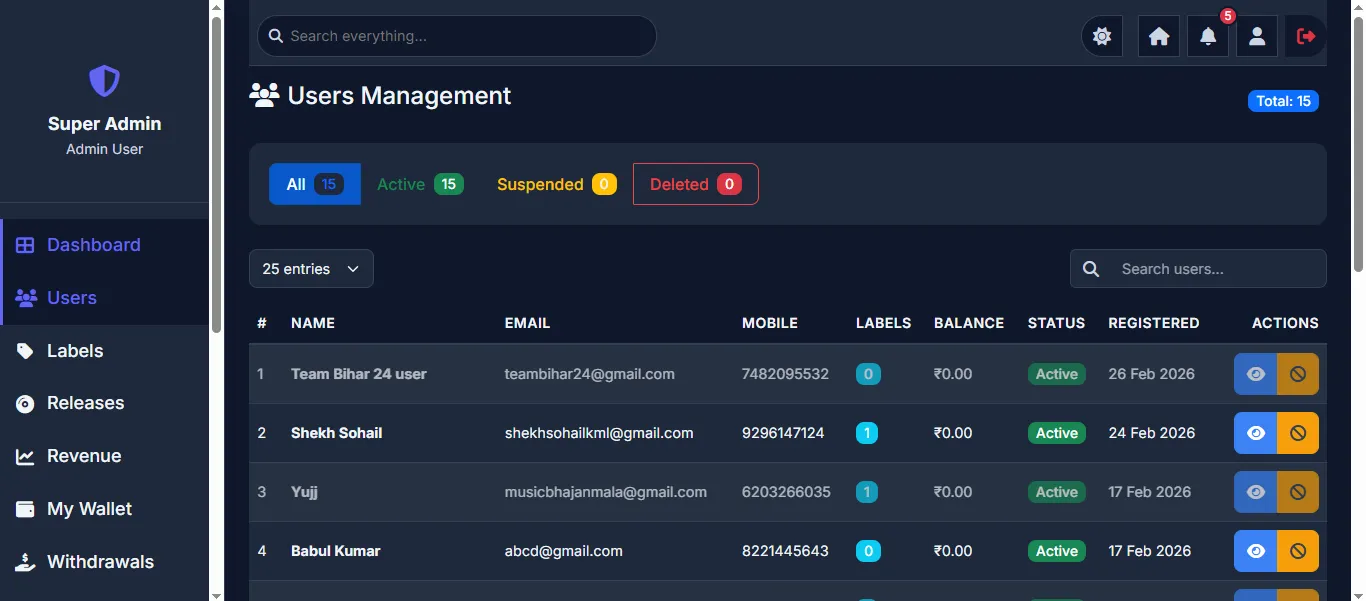
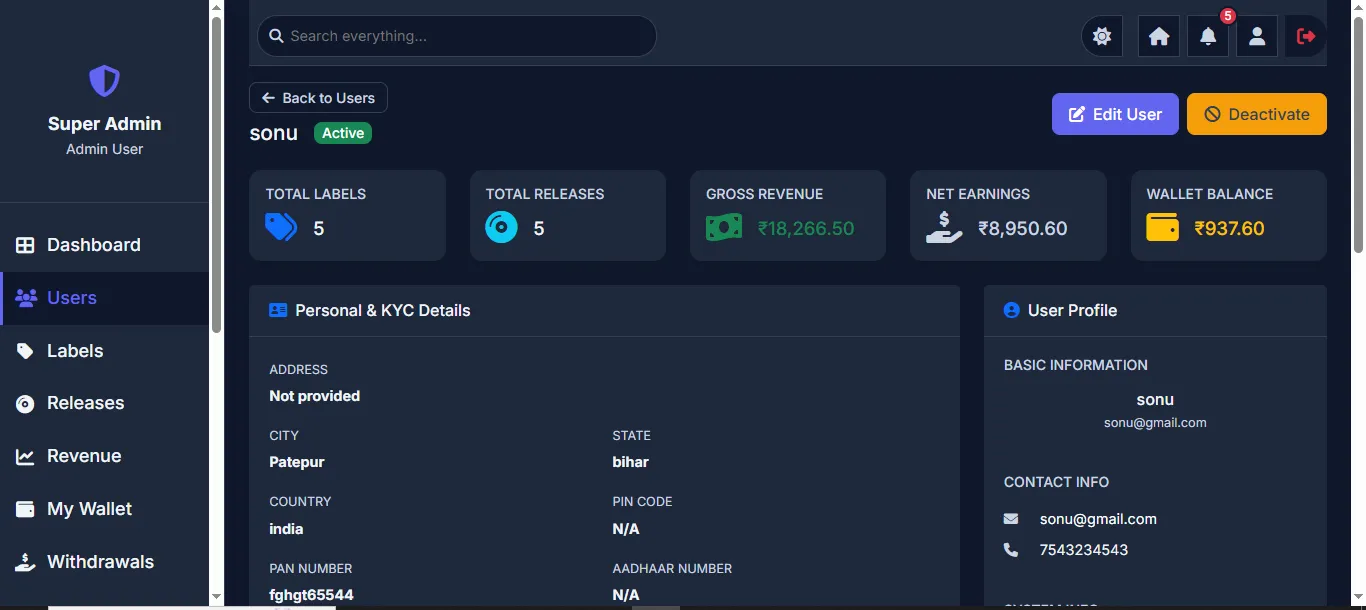
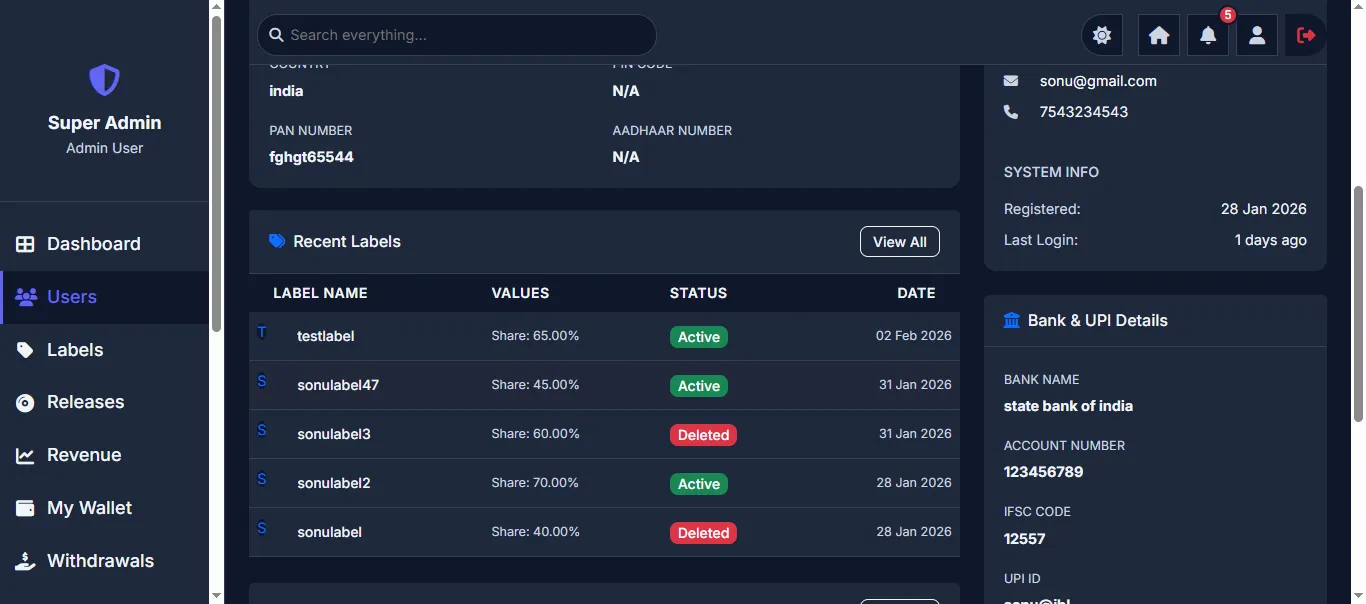
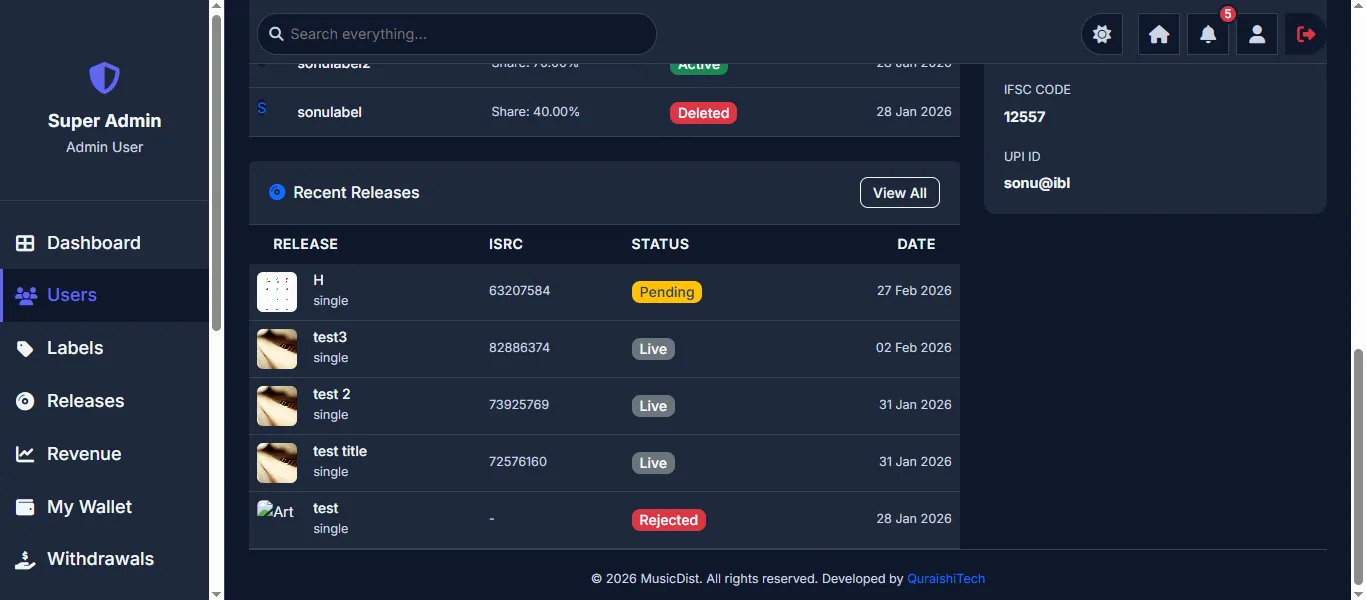
Complete user management with tabbed filtering (All, Active, Suspended, Deleted). View all registered artists with their email, mobile, number of labels, wallet balance, status, and registration date. Click on any user to view their detailed profile including Personal & KYC Details (address, PAN, Aadhaar), Bank & UPI Details, all their labels with royalty share percentages, and recent releases with status tracking. Admin can Edit User or Deactivate directly from the detail view.
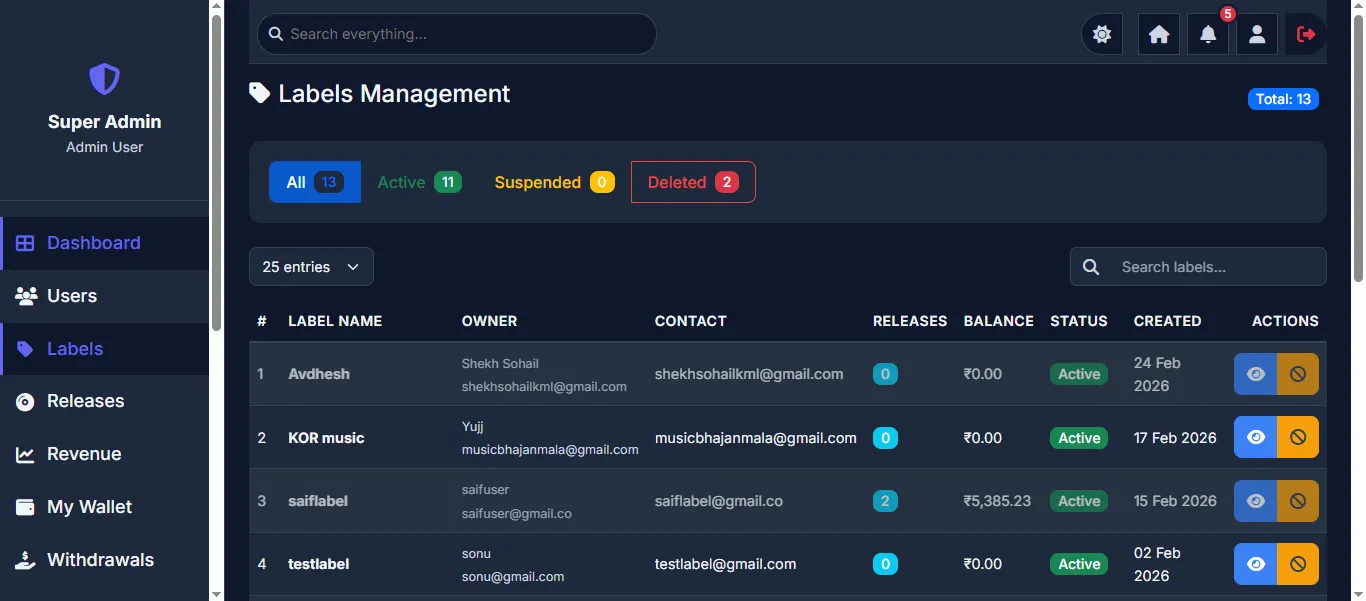
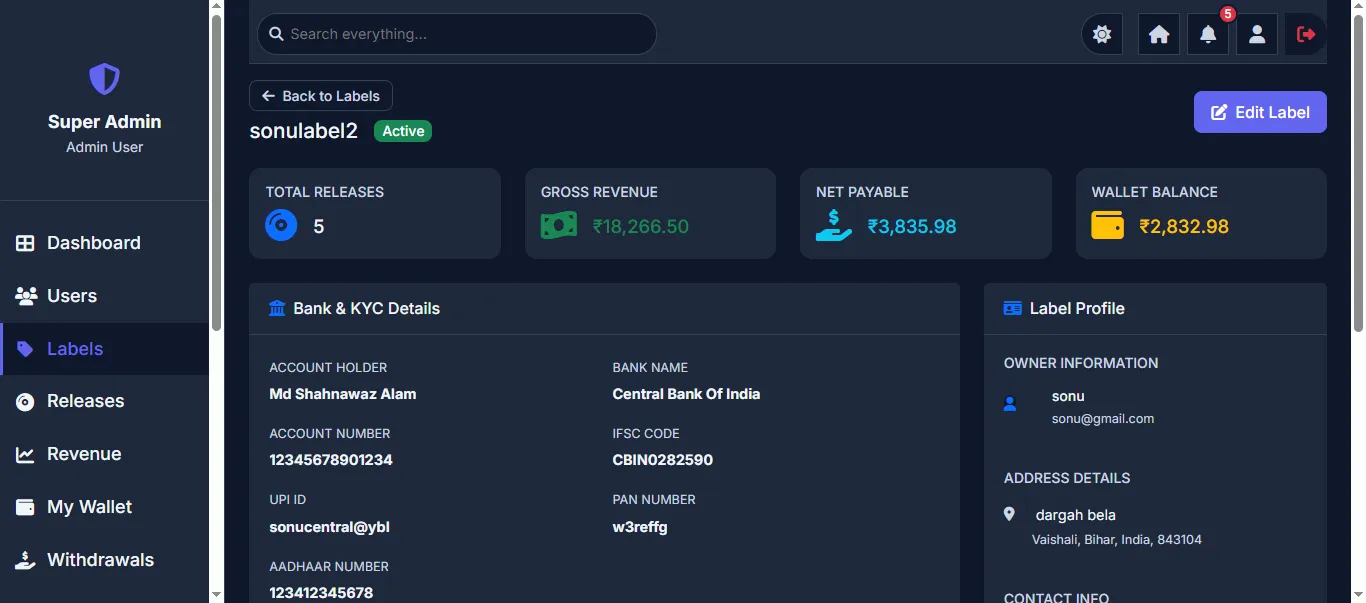
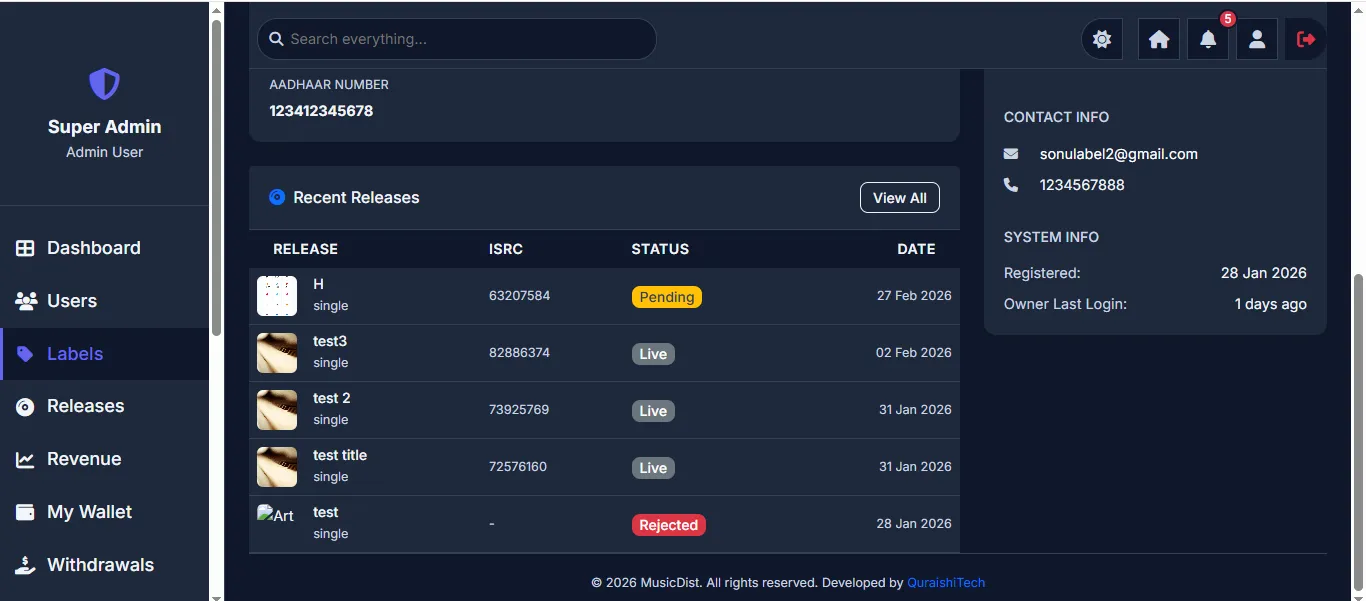
Manage all record labels on the platform. View label details including owner info, KYC documents (Aadhaar), contact information, system info (registration date, last login), and all recent releases under that label with their ISRC codes and statuses (Pending, Live, Rejected).
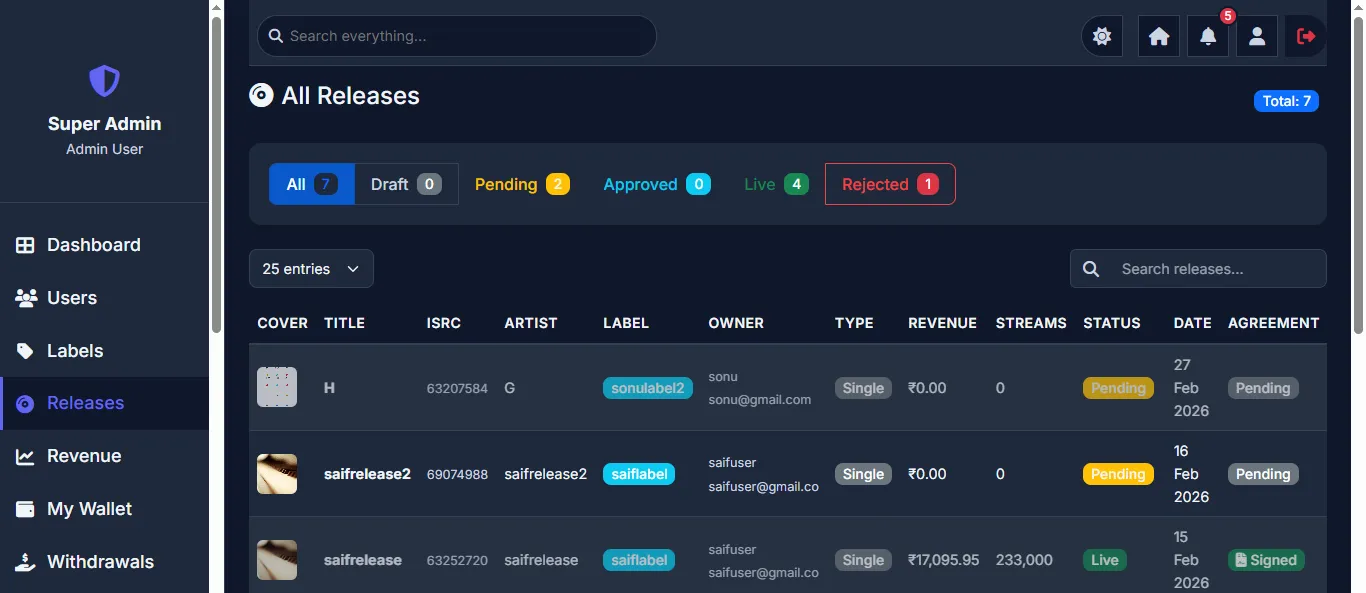
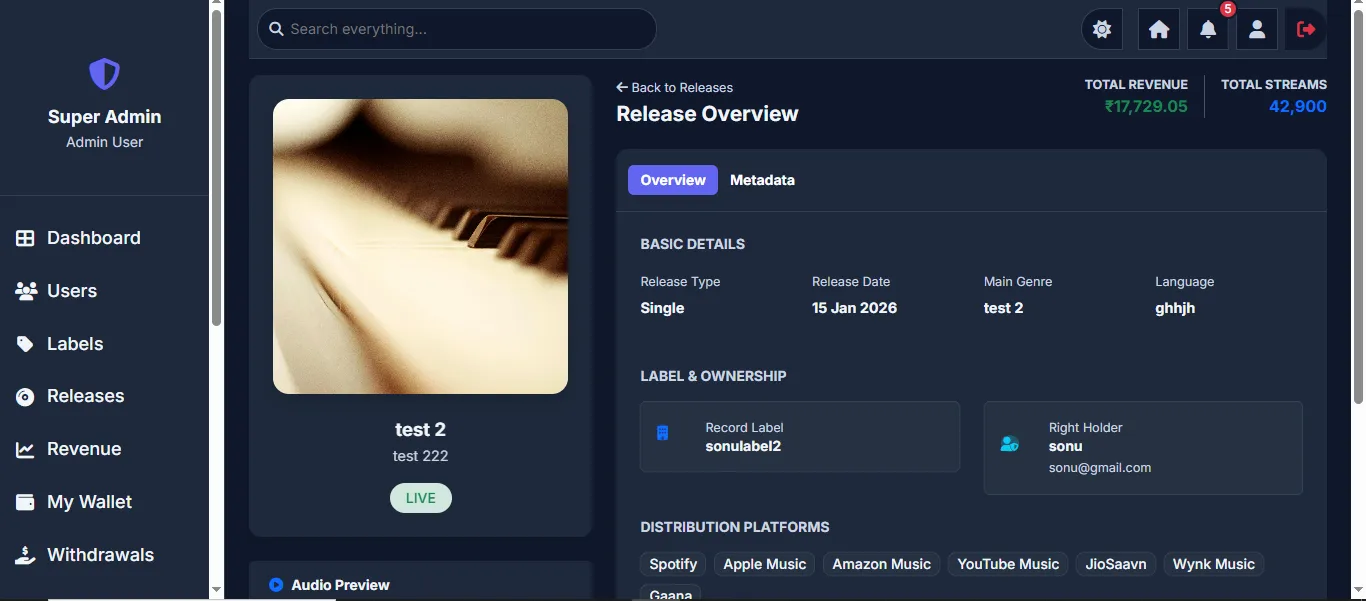
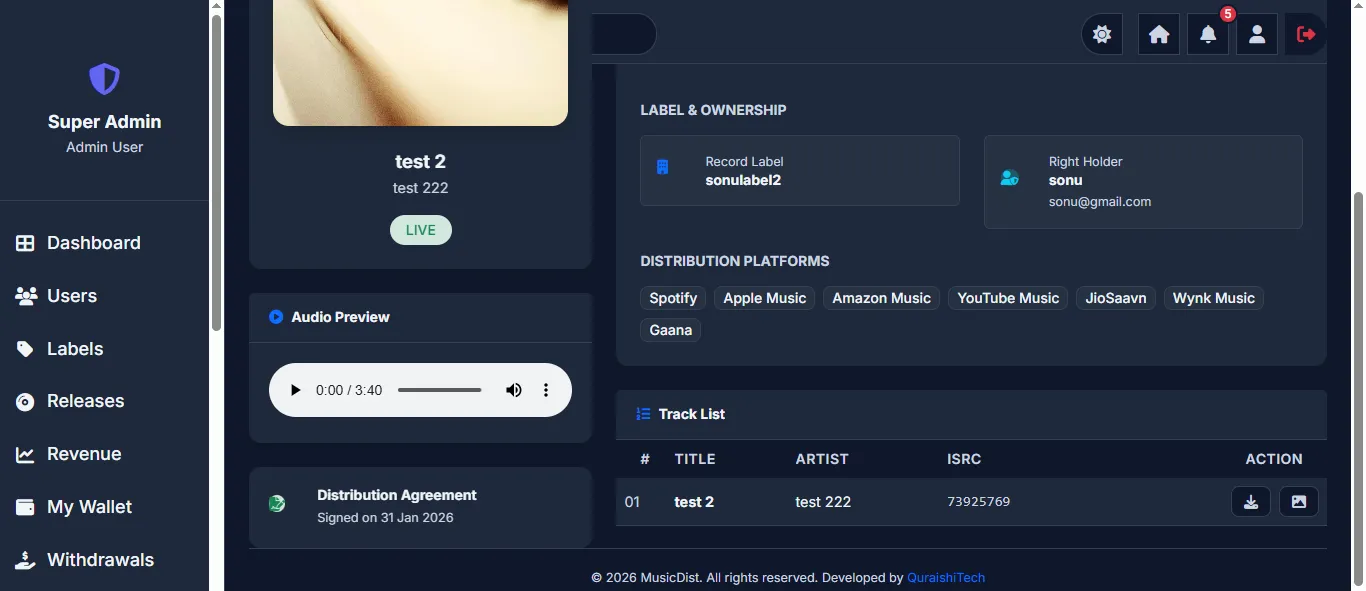
View and manage all music releases across the platform. The Release Overview page shows artwork, basic details (type, date, genre, language), label & ownership info, distribution platforms (Spotify, Apple Music, Amazon Music, YouTube Music, JioSaavn, Wynk Music, Gaana), total revenue, total streams, and an audio preview player. Admin can approve, reject, or change the status of any release.
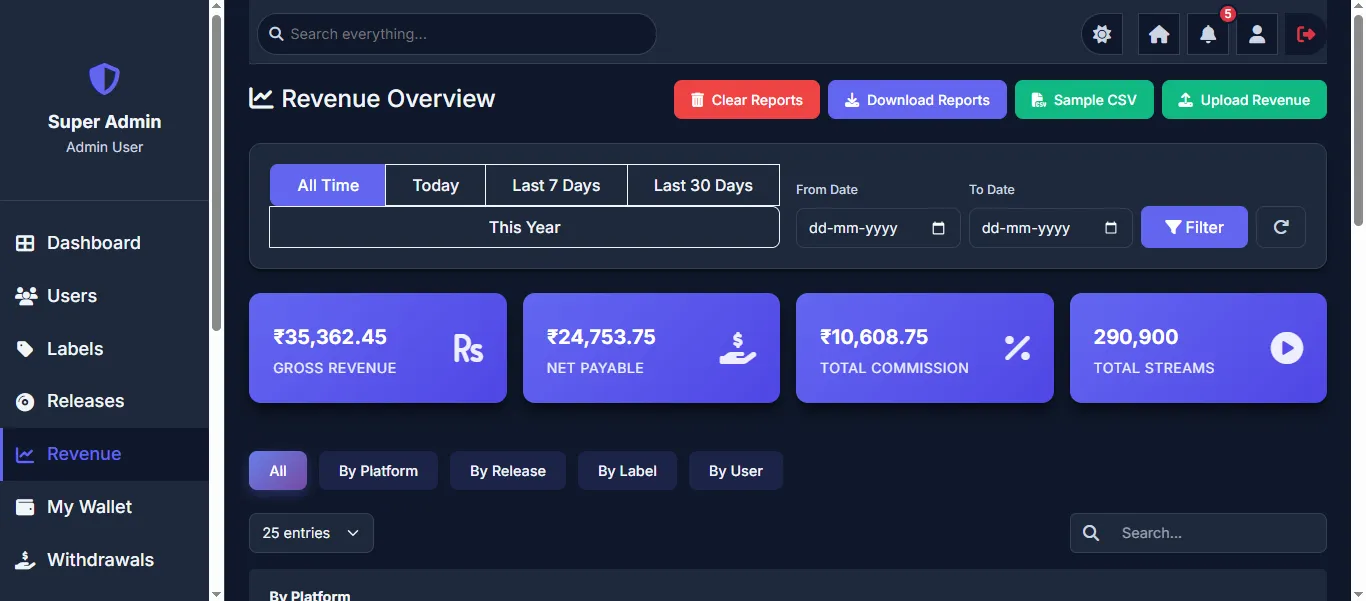
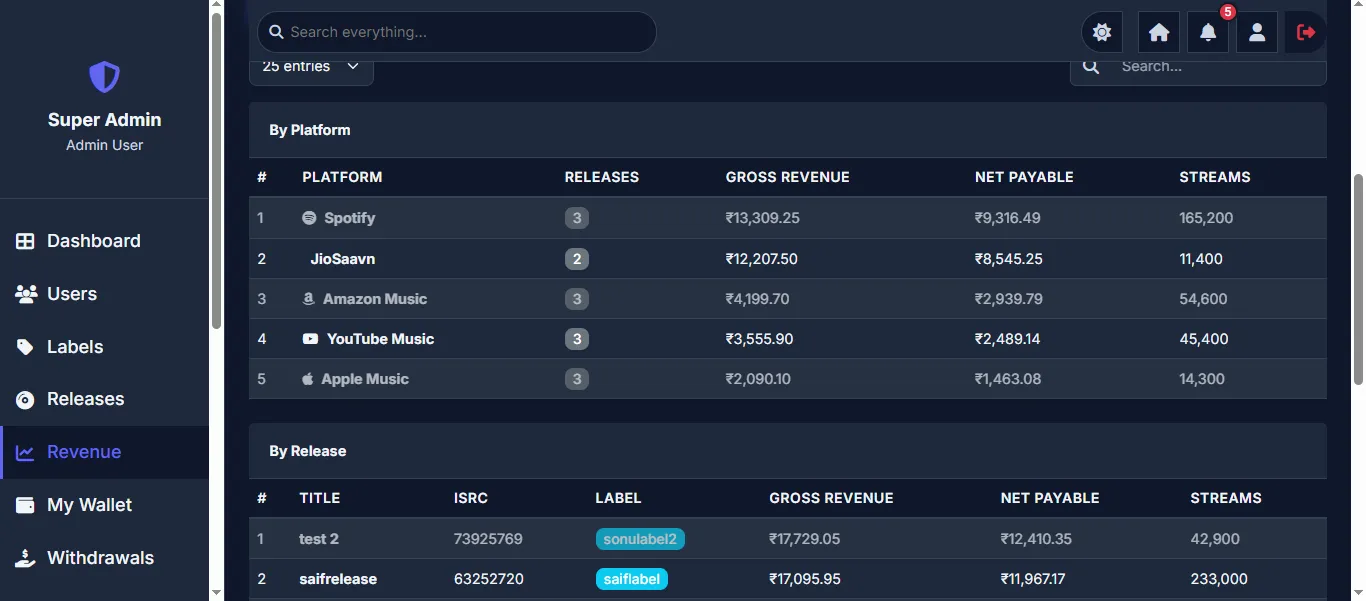
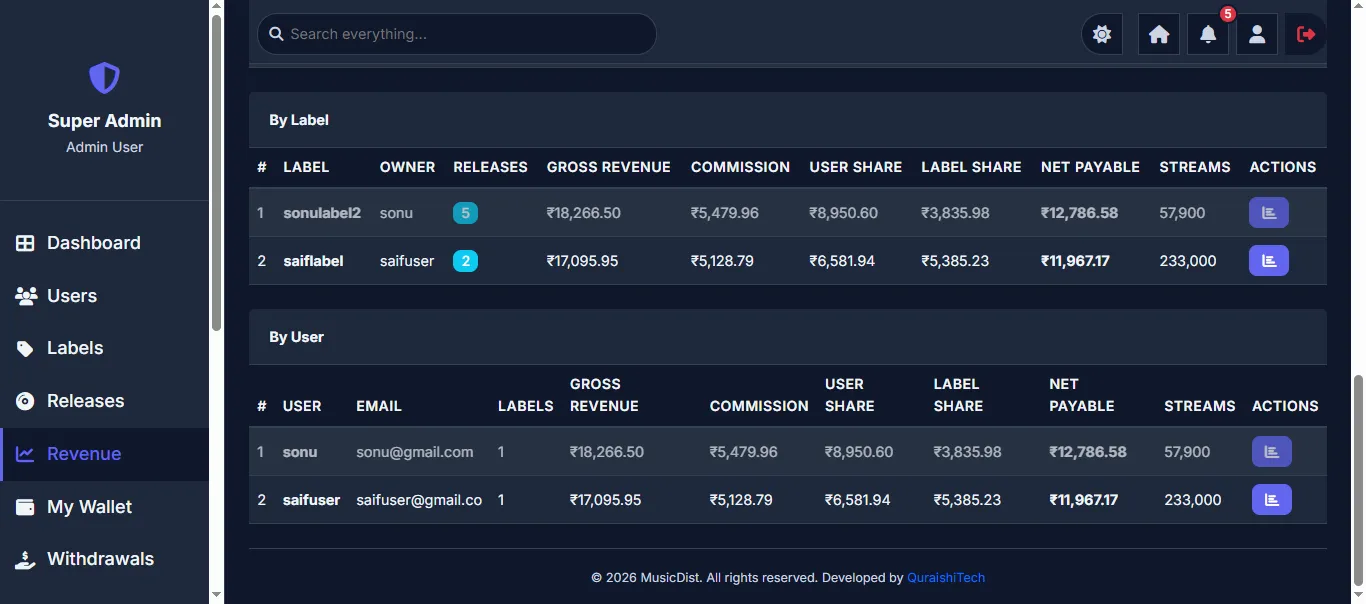
Comprehensive revenue tracking with time-based filters (All Time, Today, Last 7 Days, Last 30 Days, This Year, Custom Date Range). Revenue summary cards show Gross Revenue, Net Payable, Total Commission, and Total Streams. Data can be viewed by Platform, by Release, by Label, or by User. Admin can upload revenue CSV files, download reports, and clear revenue data. The By Platform view shows revenue per streaming platform (Spotify, JioSaavn, Amazon Music, YouTube Music, Apple Music) with associated releases, gross revenue, net payable, and streams.
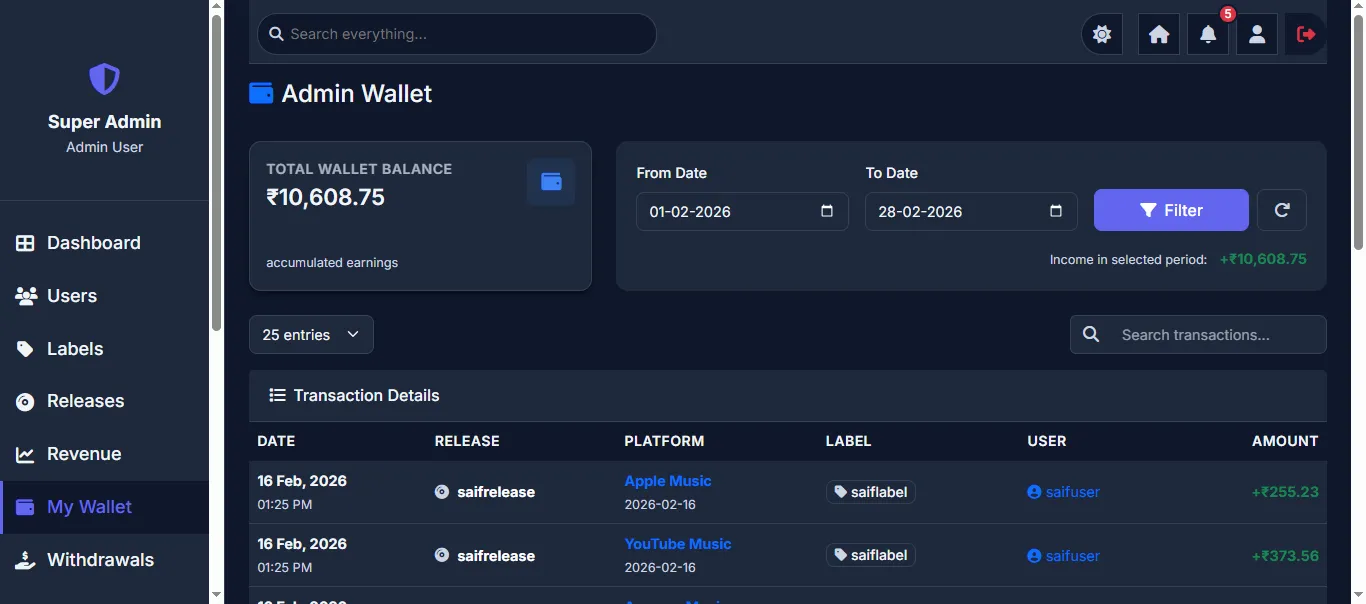
The Admin Wallet tracks the platform's commission earnings. Shows Total Wallet Balance with date-filtered transaction history. Each transaction shows the date, associated release, streaming platform, label, user, and credited amount. This provides a complete audit trail of all commission income.
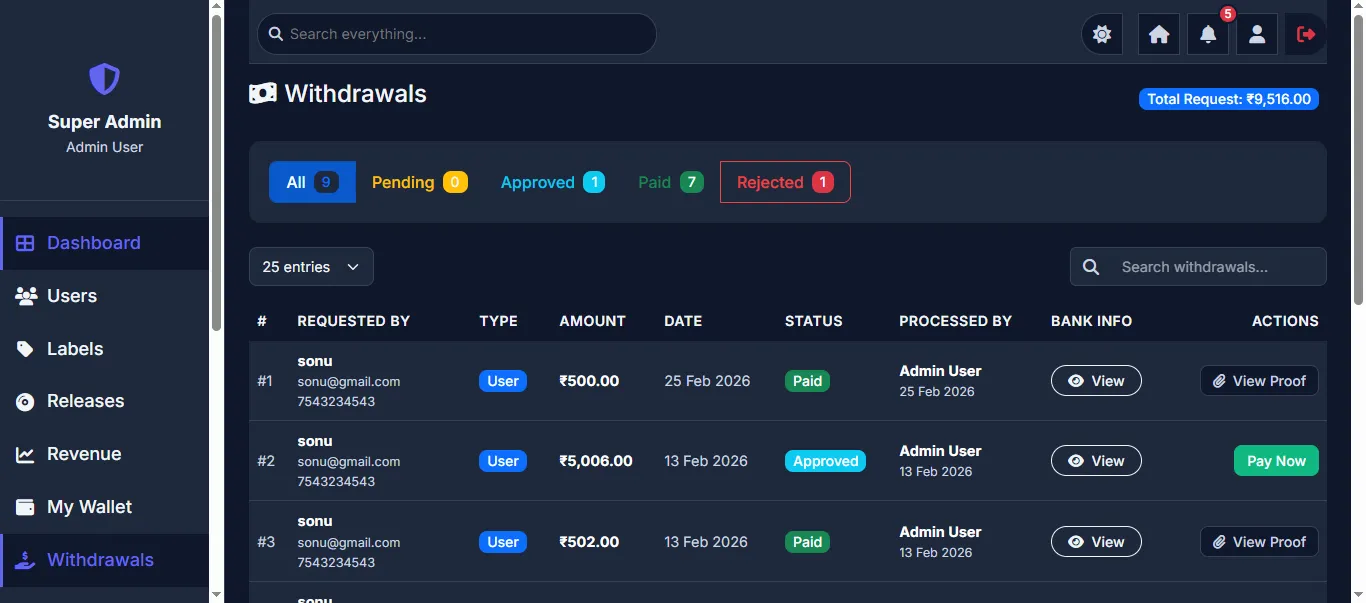
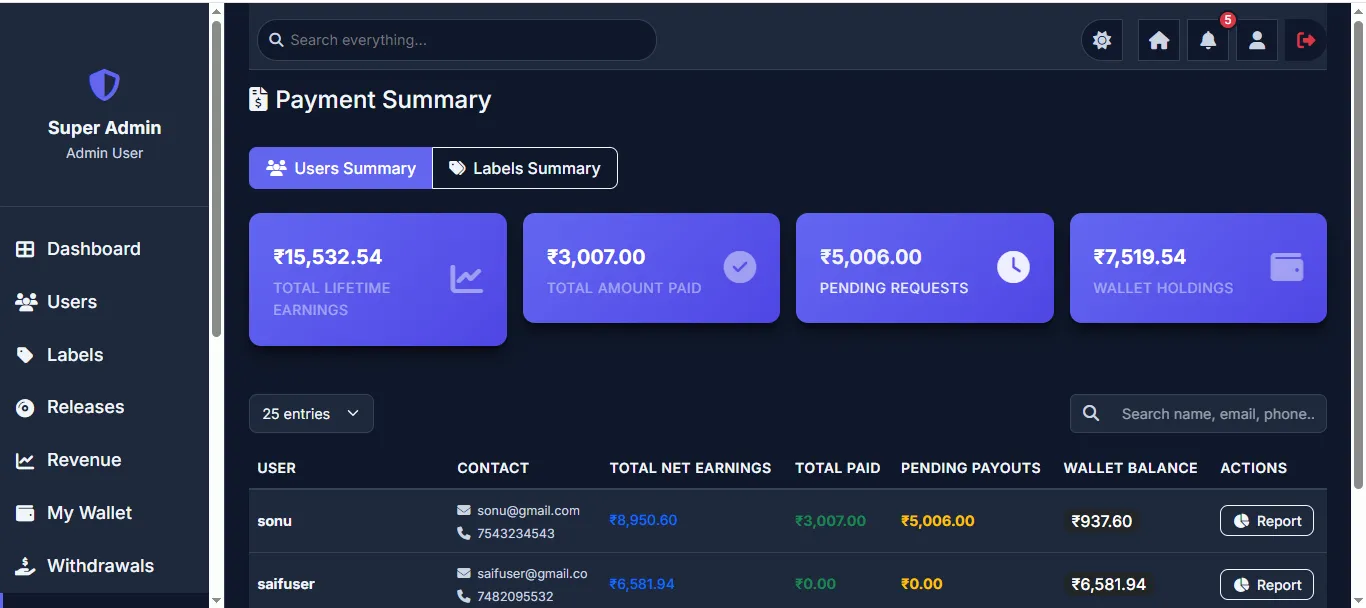
Manage all withdrawal requests from users and labels. Tabbed filters show All, Pending, Approved, Paid, and Rejected requests. Each request shows the requester's contact info, type (User/Label), amount, date, status, processor, and bank info. Admin can View details, Pay Now (process payment), or View Proof (payment receipt). The Payment Summary page shows an overview of Total Lifetime Earnings, Total Amount Paid, Pending Requests, and Wallet Holdings across all users — with individual user-level financial reports available.
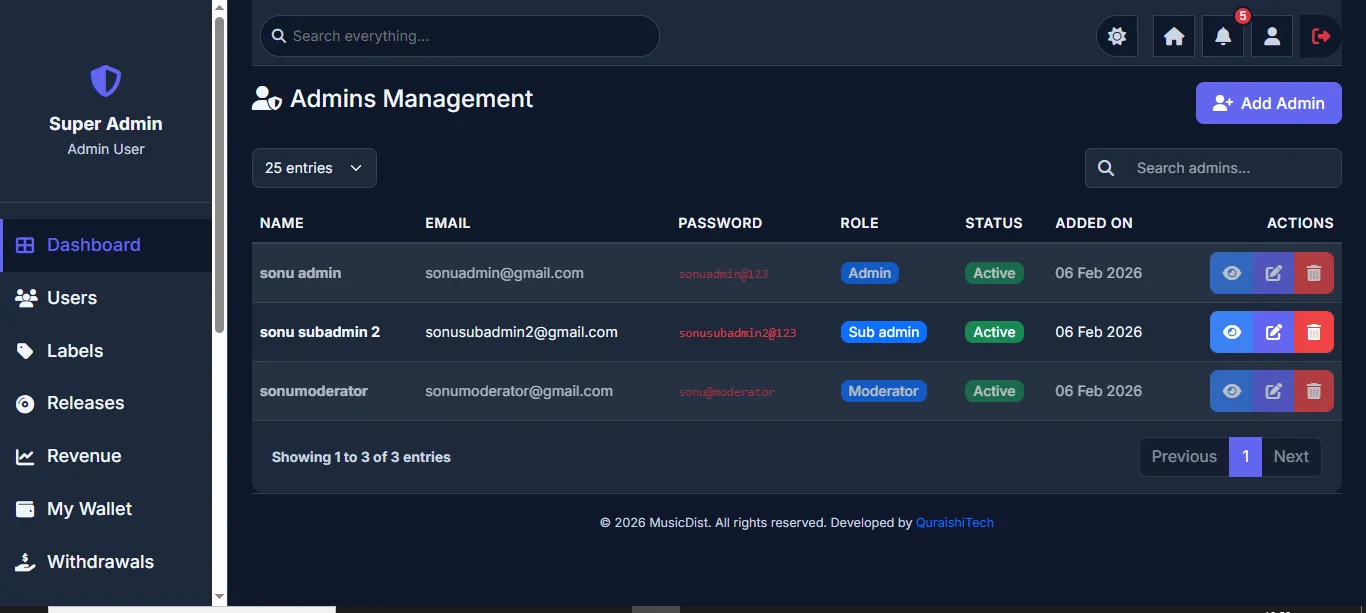
Super Admin can create and manage other administrators. The Admin Management page lists all admin accounts with their name, email, role (Admin, Sub Admin, Moderator), status, and date added. Each admin can be viewed, edited, or deleted. New admins can be added with the "+ Add Admin" button, specifying their role and permissions.
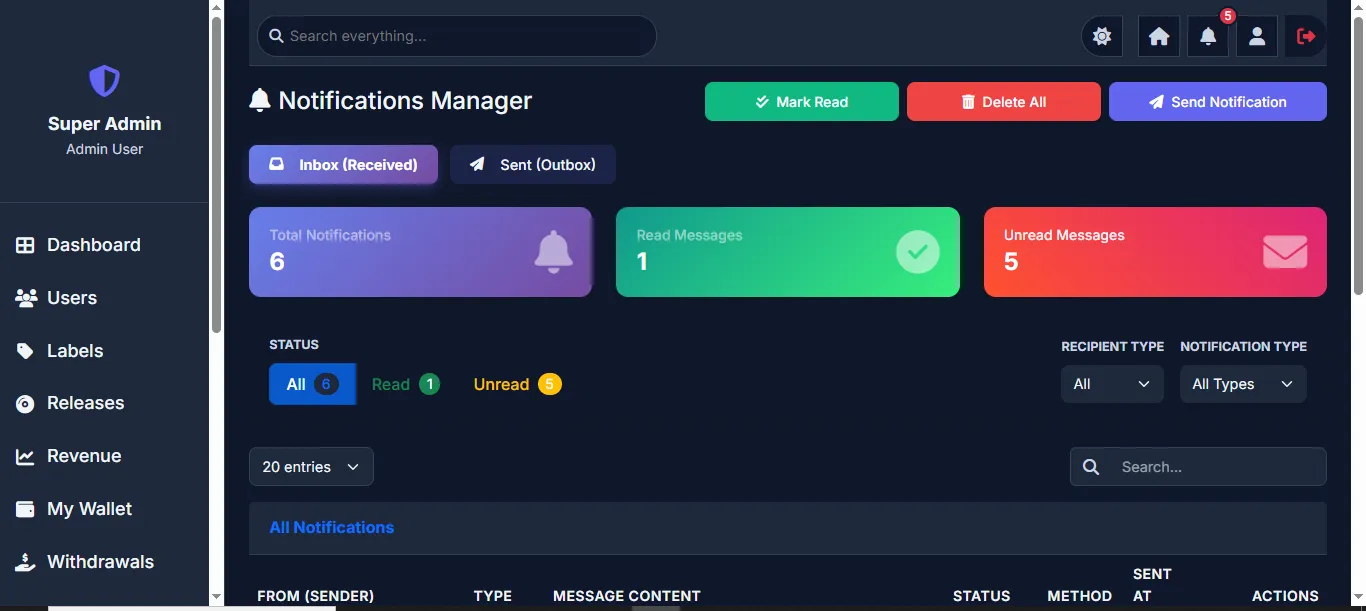
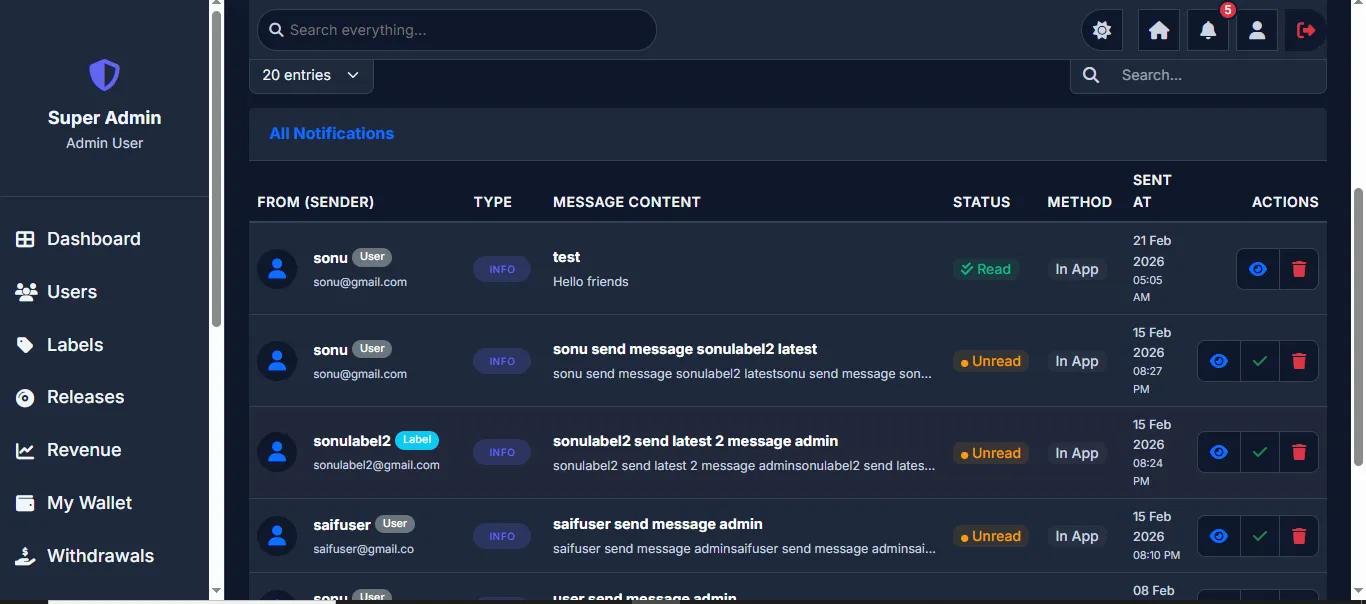
Send and manage notifications across the platform. Features Inbox (Received) and Sent (Outbox) tabs with stats for Total Notifications, Read Messages, and Unread Messages. Admin can Send Notification to individual users/labels or broadcast to all. Filter by status (All, Read, Unread), recipient type, and notification type. Admin can Mark Read, Delete All, view individual notifications, and manage the notification inbox.
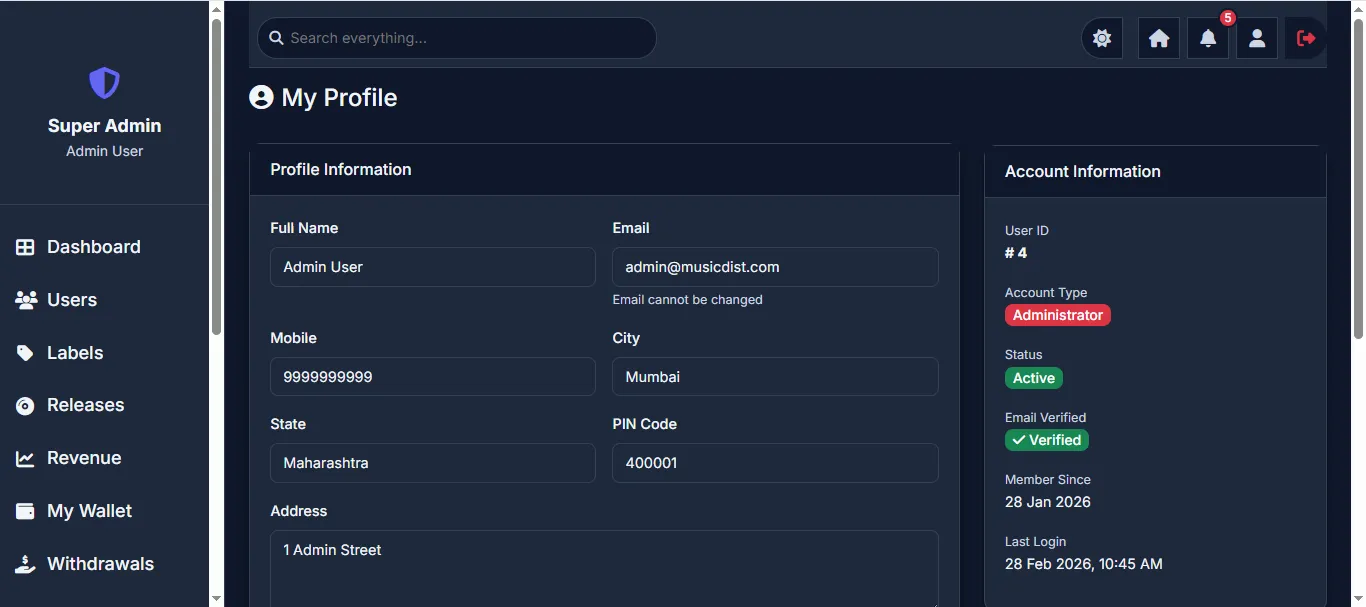
Super Admin's personal profile page showing Profile Information (name, email, mobile, city, state, PIN code, address) and Account Information (User ID, Account Type, Status, Email Verified, Member Since, Last Login). Admin can update their profile details and manage security settings.
- Platform-wide analytics dashboard with charts
- User management (CRUD + status control)
- Label management (CRUD + status control)
- Admin/Sub-Admin/Moderator management
- Release approval & status management
- Bulk revenue CSV upload (chunked)
- Revenue reports by platform/label/user
- Platform wallet (commission tracking)
- Withdrawal approval & payment processing
- Send notifications (individual/broadcast)
- Activity logs & security monitoring
- Live India map with state-wise distribution
6Admin Panel
Full management capabilities with configurable access — created by Super Admin.
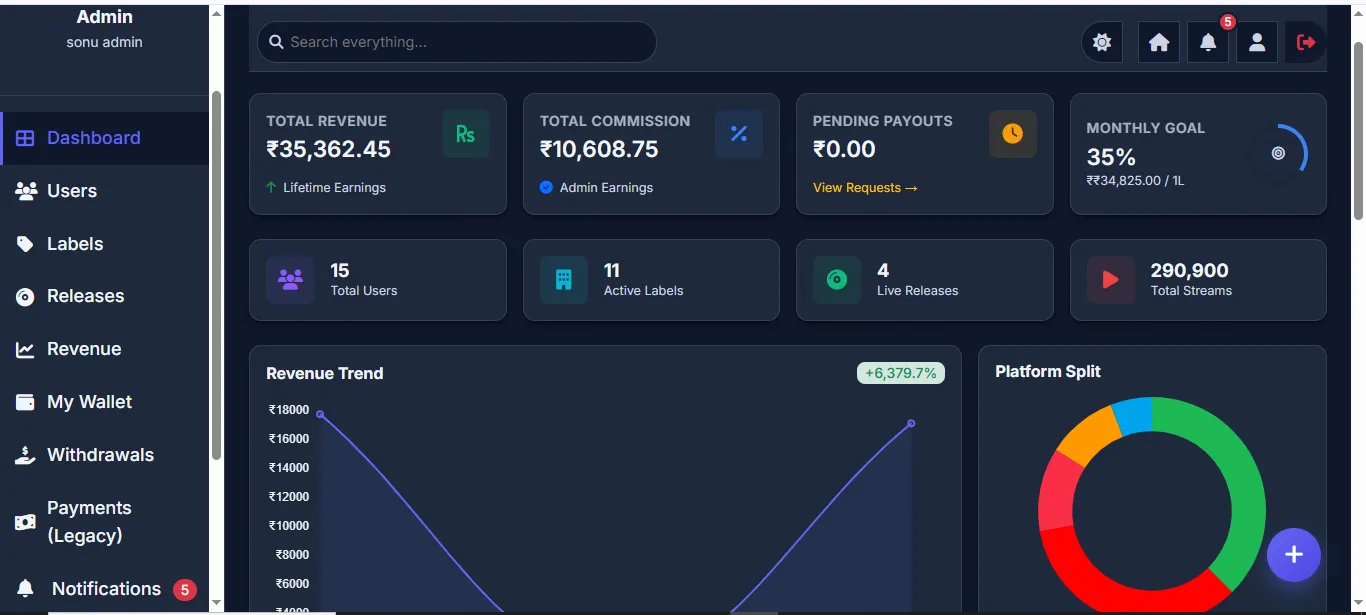
The Admin role has nearly the same privileges as the Super Admin, with full access to Dashboard, Users, Labels, Releases, Revenue, My Wallet, Withdrawals, Payments, and Notifications. The key difference is that Admins are created and managed by the Super Admin and can be deleted or modified. Admins have their own sidebar with all management tools and can perform all day-to-day platform operations. The dashboard view is identical to the Super Admin's, showing all revenue stats, images/user/label counts, charts, and activity data.
The Admin dashboard shows the same comprehensive overview as Super Admin — Total Revenue, Total Commission, Pending Payouts, Monthly Goal, Total Users, Active Labels, Live Releases, Total Streams, Revenue Trend chart, and Platform Split chart. The sidebar includes Dashboard, Users, Labels, Releases, Revenue, My Wallet, Withdrawals, Payments (Legacy), and Notifications.
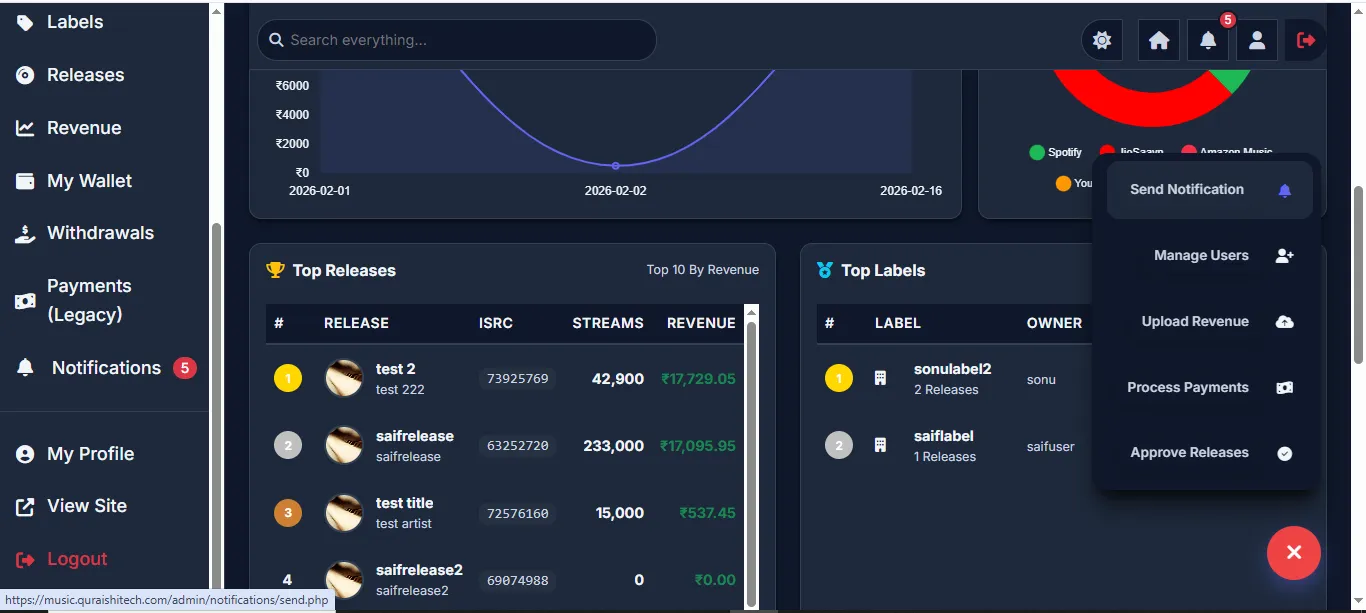
- Full dashboard with analytics & charts
- Users & Labels management (CRUD)
- Release approval & status control
- Revenue upload & reports
- Wallet & withdrawal management
- Notification system access
7Sub Admin Panel
Limited admin access based on assigned permissions — ideal for team members.
The Sub Admin role is designed for team members who need access to specific platform features. Permissions are assigned by the Super Admin during account creation. Sub Admins can see the same Dashboard overview (revenue stats, user counts, charts) but have restricted sidebar options. In this configuration, the Sub Admin has access to Dashboard, Users, Labels, Releases, Revenue, Notifications, and My Profile — but does not have access to Wallet, Withdrawals, or Payments. The permissions are fully configurable per Sub Admin account.
The Sub Admin sees the same analytics dashboard — Total Revenue, Total Commission, Pending Payouts, Monthly Goal, Total Users, Active Labels, Live Releases, Total Streams, Revenue Trend chart, and Platform Split chart. The sidebar shows only the features assigned to this Sub Admin's permission set.
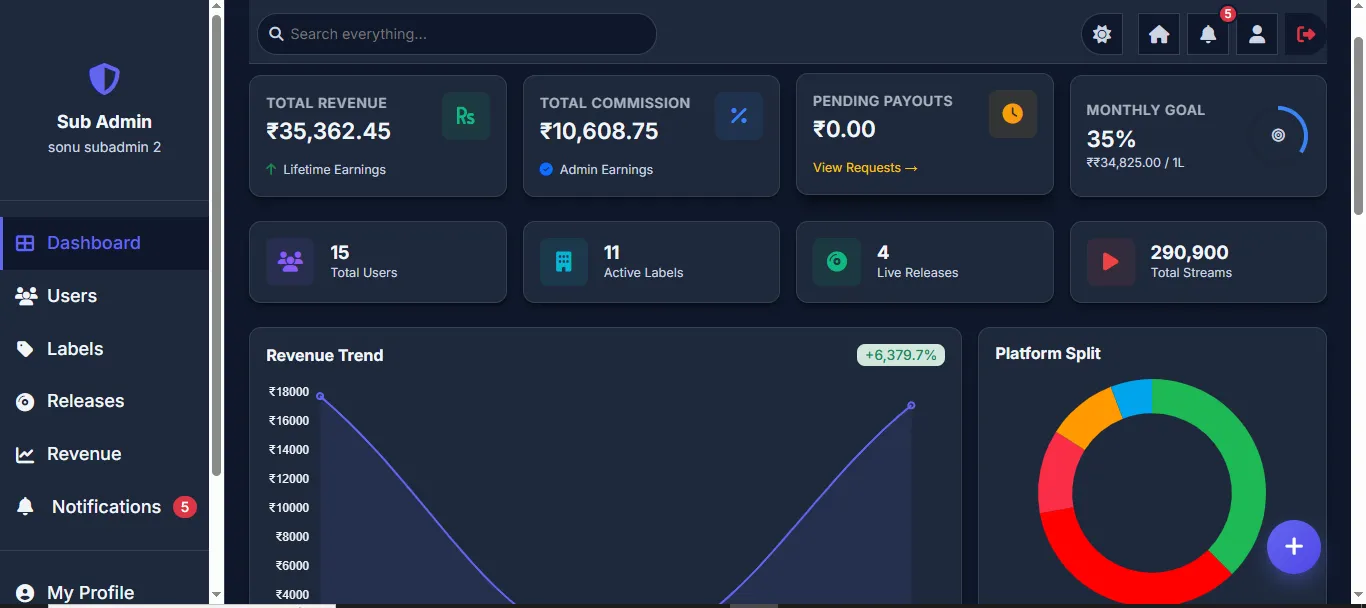
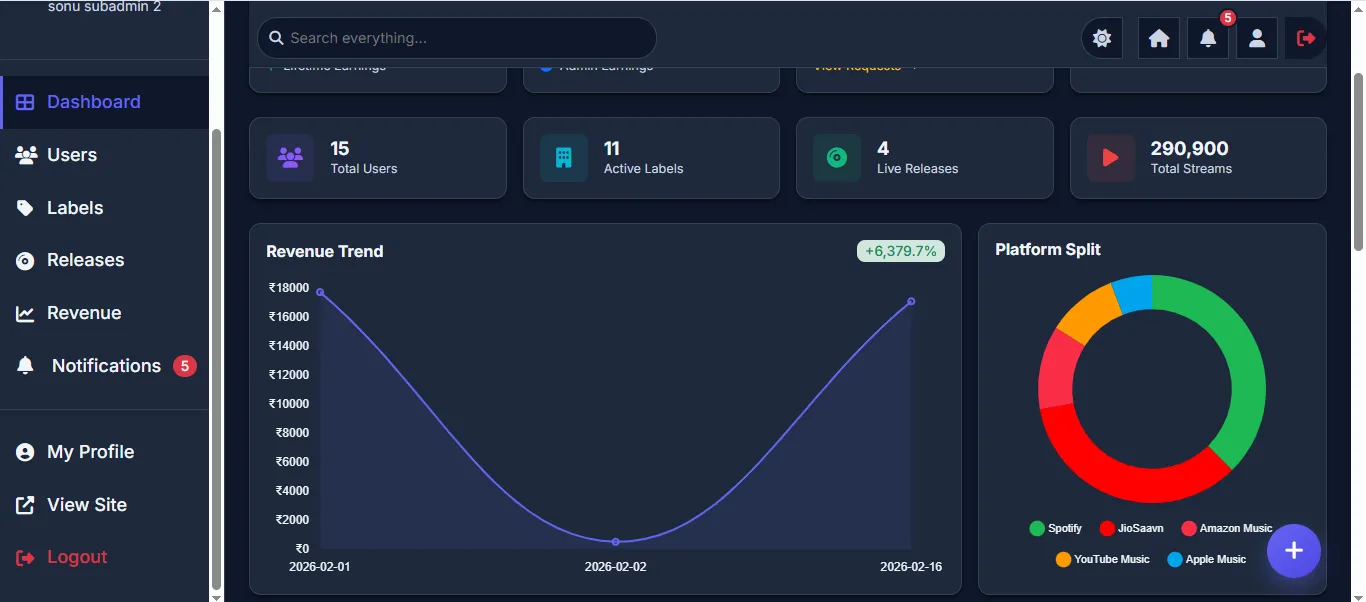
- Dashboard analytics (same as admin)
- Access based on assigned permissions
- Users & Labels viewing/management
- Release management access
- Revenue viewing access
- Restricted from sensitive operations
8Moderator Panel
View-only access for monitoring — can view data and perform specific tasks.
The Moderator role provides view-only access to the platform. Moderators can see the Dashboard with all analytics, view Users, Labels, Releases, and Notifications, but cannot make modifications to any data. The sidebar shows Dashboard, Users, Labels, Releases, Notifications, My Profile, View Site (link to the frontend), and Logout. This role is ideal for stakeholders or team members who need to monitor the platform without the ability to modify data.
The Moderator sees the full analytics dashboard — Total Revenue, Total Commission, Pending Payouts, Monthly Goal, Total Users, Active Labels, Live Releases, Total Streams, Revenue Trend, and Platform Split. The sidebar has minimal options (Dashboard, Users, Labels, Releases, Notifications, My Profile, View Site, Logout) with no access to Revenue Management, Wallet, Withdrawals, or Payments.
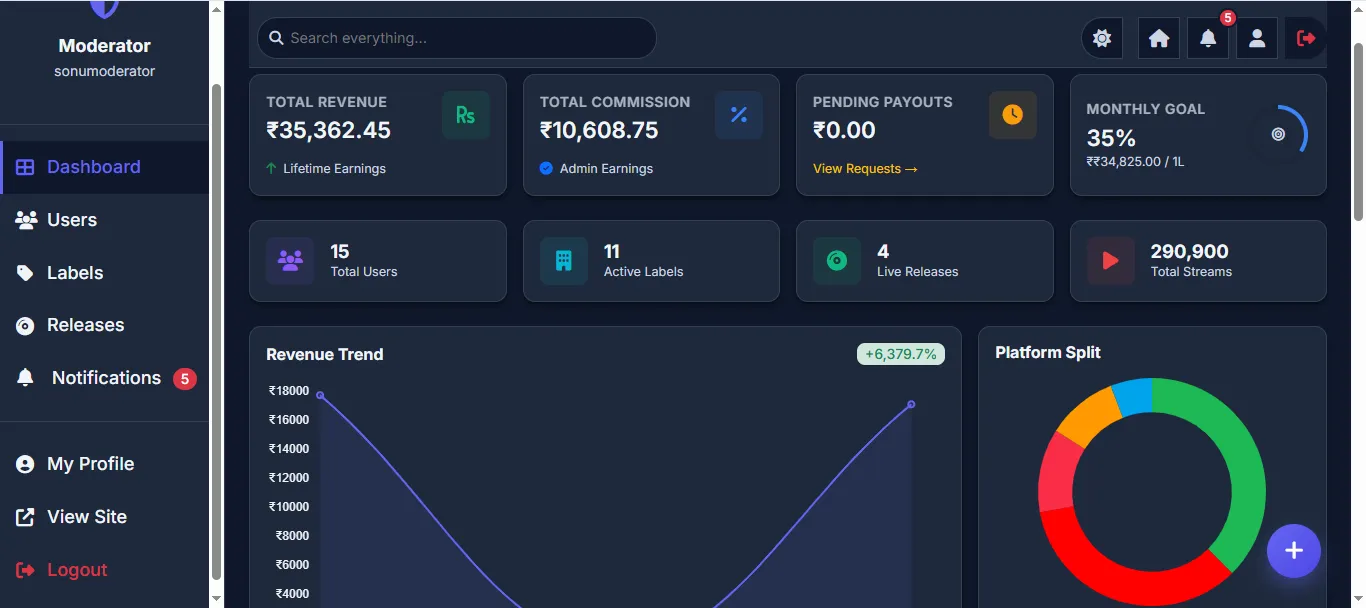
- Full dashboard analytics (view only)
- View Users & Labels
- View Releases
- View Notifications
- My Profile management
- No edit/delete permissions
9Artist / User Panel
Personal dashboard for music artists and content creators.
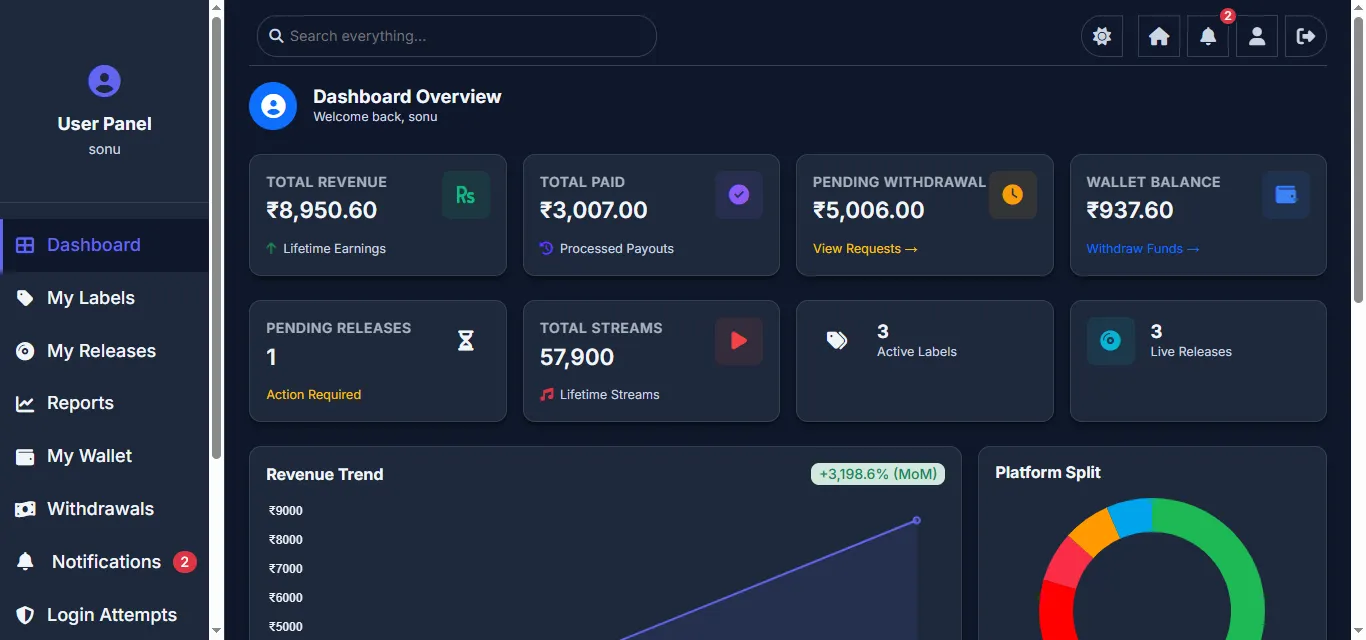
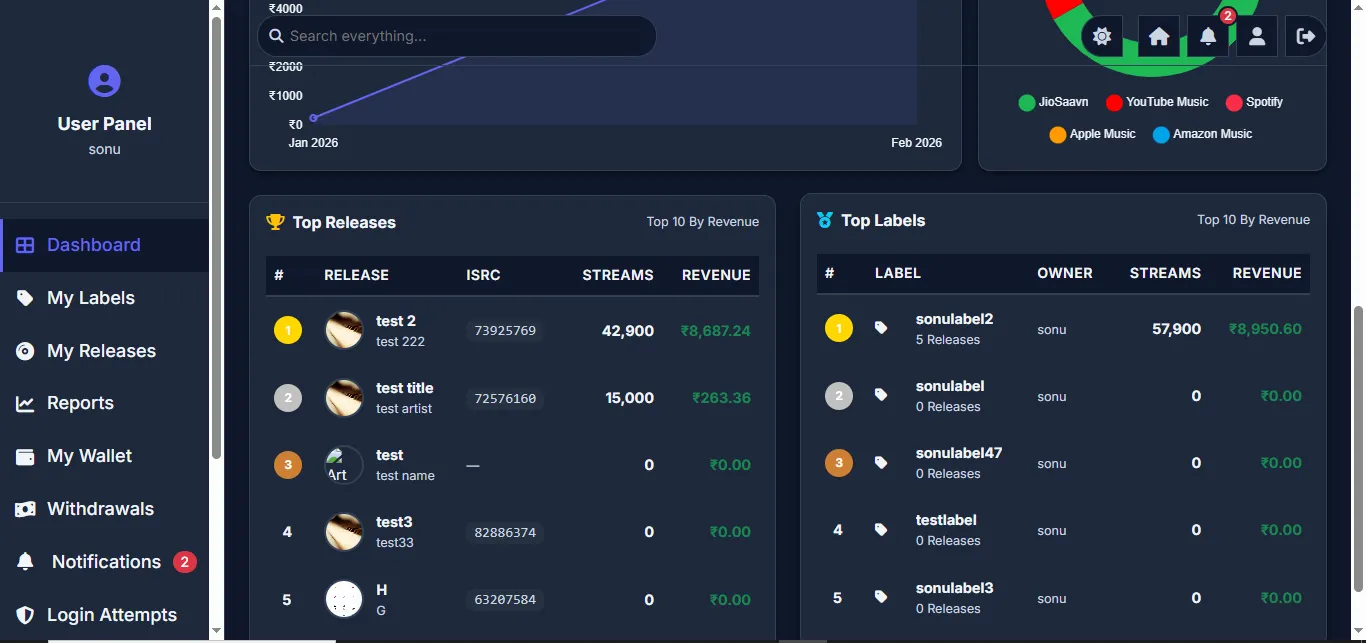
After registration and email verification (OTP), the artist lands on their personal dashboard showing Total Revenue, Total Paid, Pending Withdrawal, Wallet Balance, Pending Releases, Total Streams, Active Labels, and Live Releases. The dashboard includes interactive Revenue Trend charts (month-over-month growth), Platform Split (doughnut chart), Top Releases by revenue, and Top Labels by revenue. The sidebar provides access to Dashboard, My Labels, My Releases, Reports, My Wallet, Withdrawals, Notifications, and Login Attempts.
The main dashboard shows all financial stats — Total Revenue (lifetime earnings), Total Paid (processed payouts), Pending Withdrawal (awaiting approval), Wallet Balance (available funds). Activity stats show Pending Releases, Total Streams, Active Labels, and Live Releases. Charts display Revenue Trend and Platform Split. Bottom sections show Top Releases and Top Labels ranked by revenue.
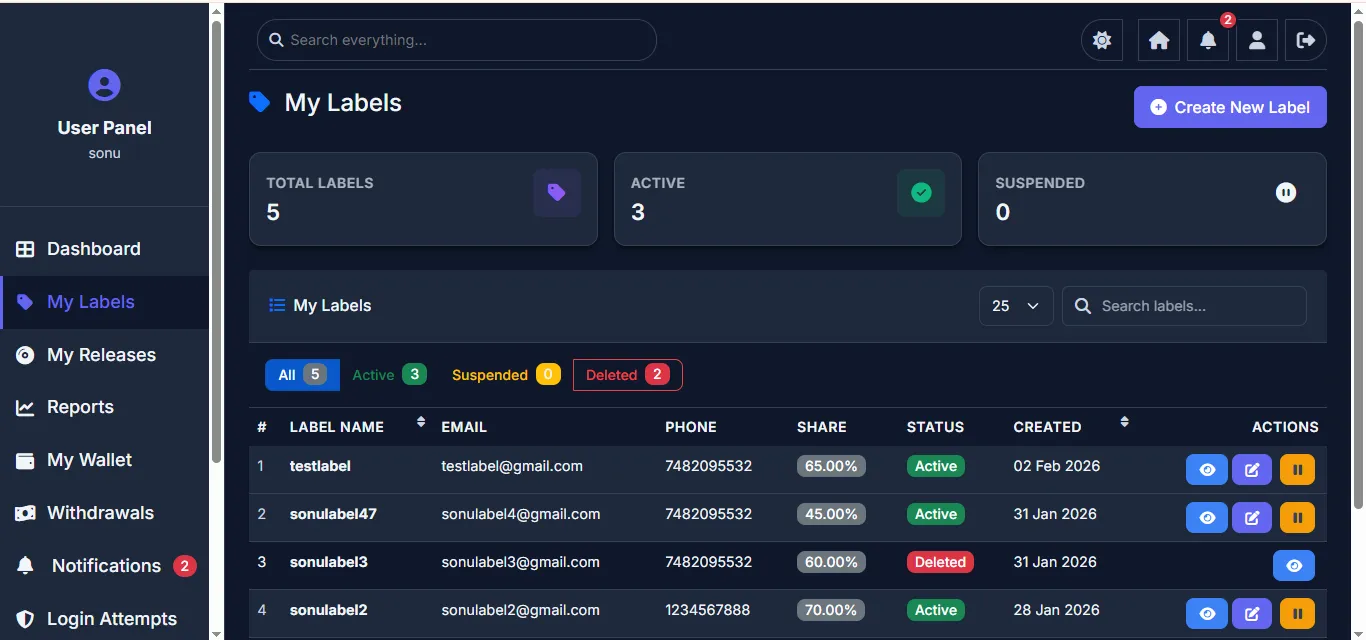
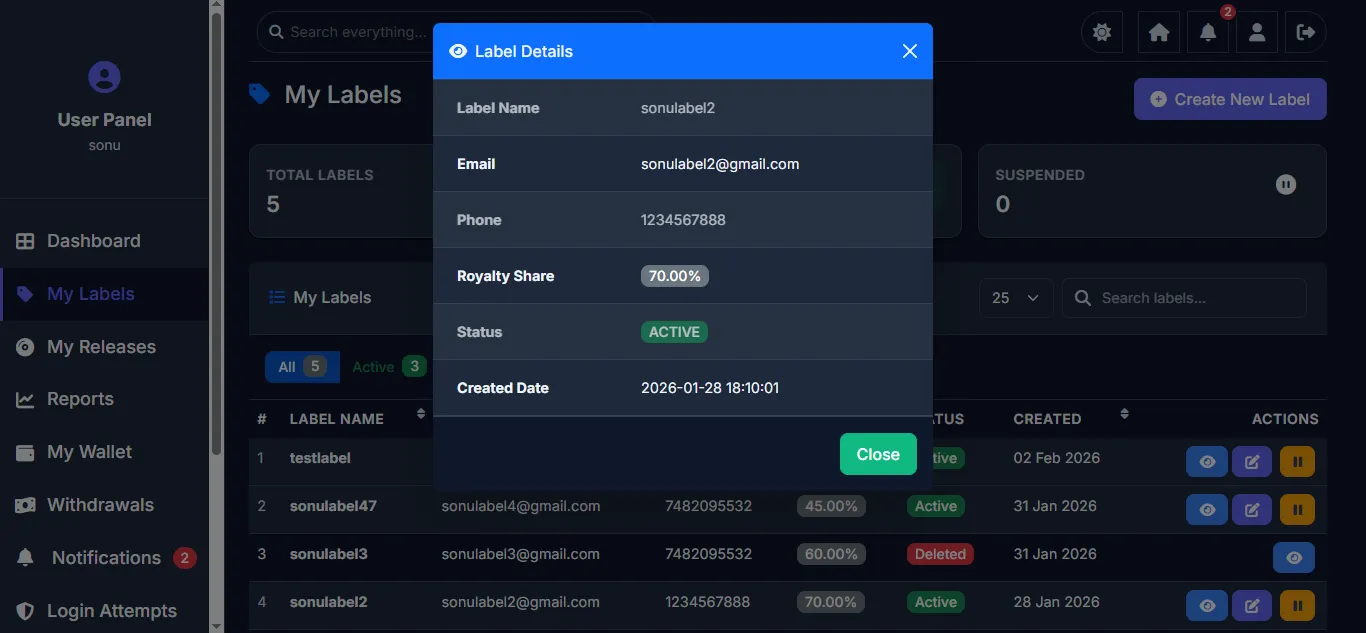
Artists can create and manage multiple record labels. Each label has its own name, royalty share percentage, status (Active/Deleted), and creation date. Labels get their own independent login credentials sent via email. The artist can manage all their labels from this single view with options to create new labels, edit existing ones, or view label details.
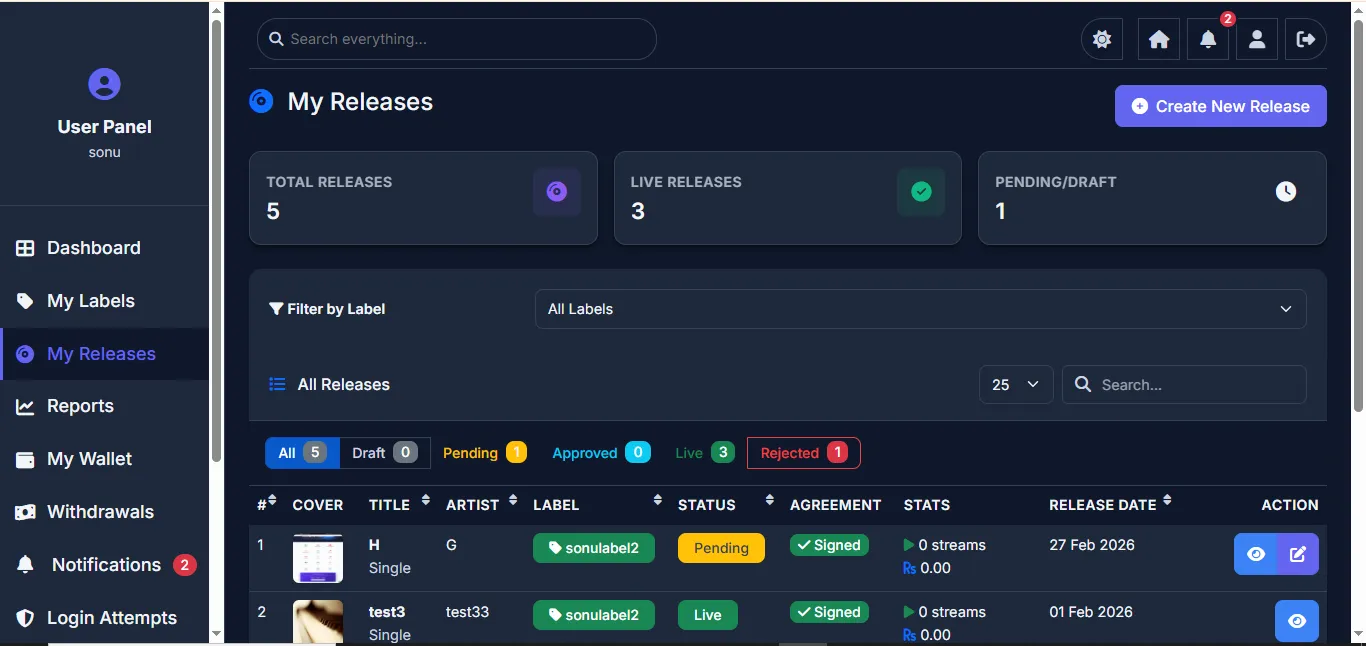
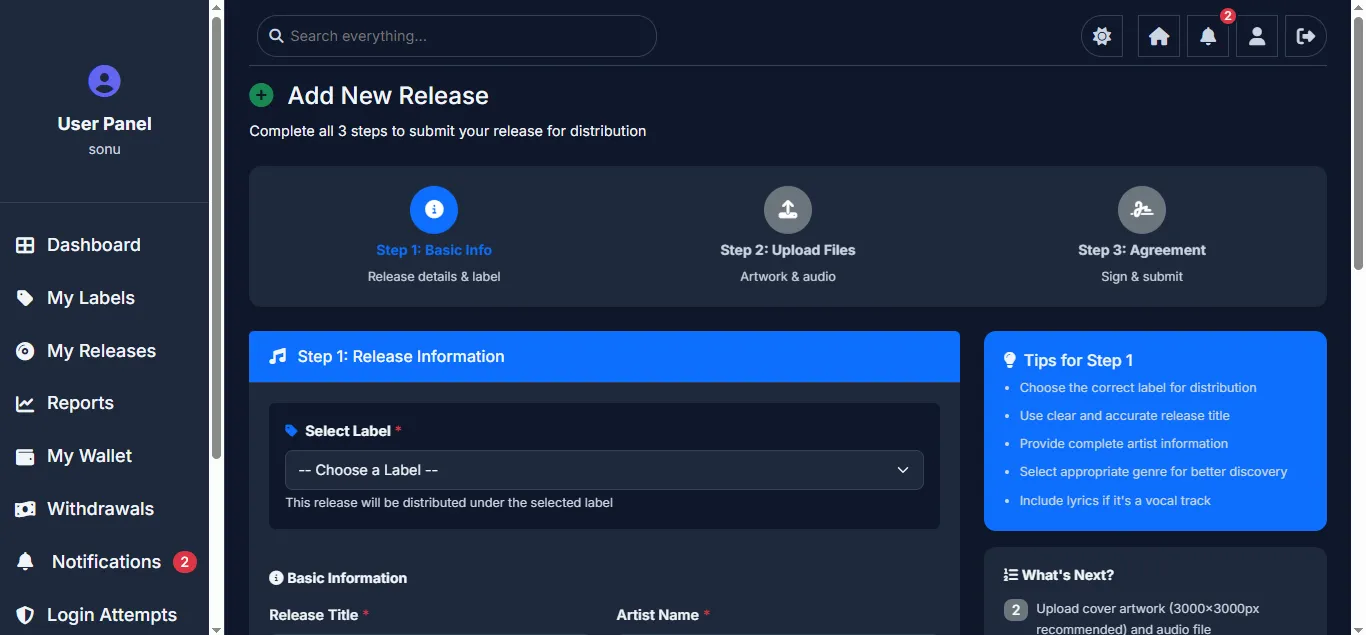
Complete release management with status filters (All, Draft, Pending, Approved, Live, Rejected). Each release shows cover art, title, artist name, label, status, agreement status (Signed), stats (streams & revenue), and release date. Users can create new releases through a multi-step wizard, view release details, or edit existing releases. Filter by label to quickly find specific releases.
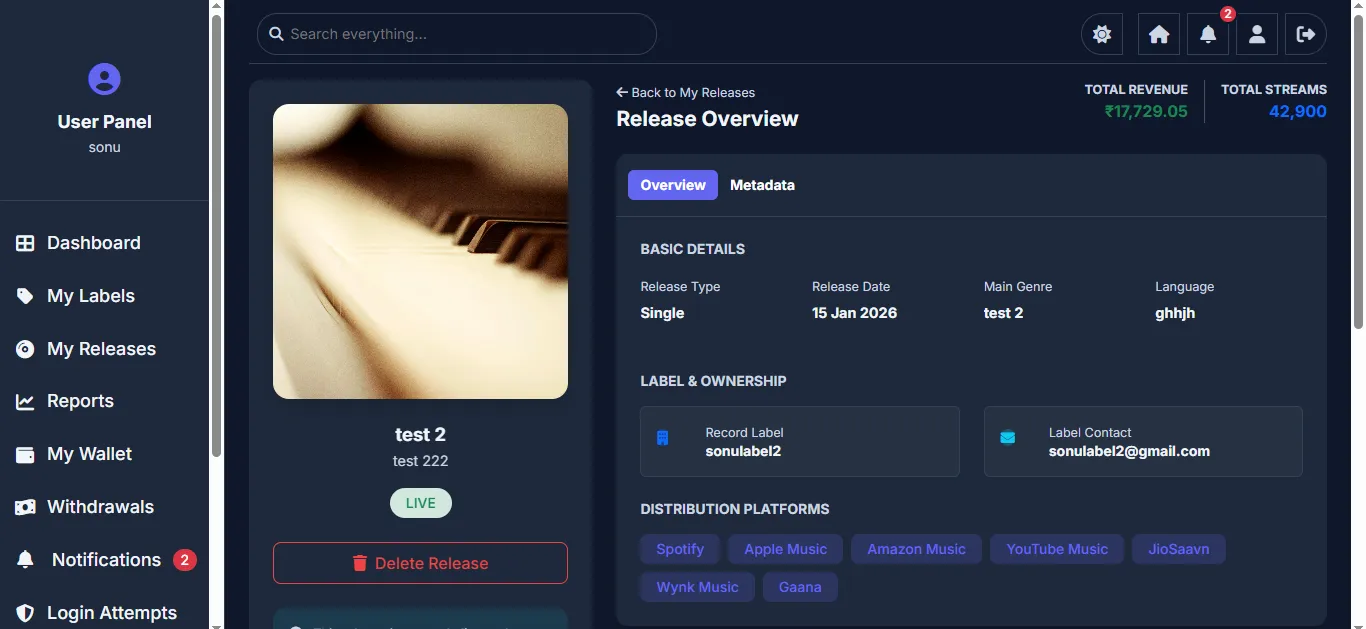
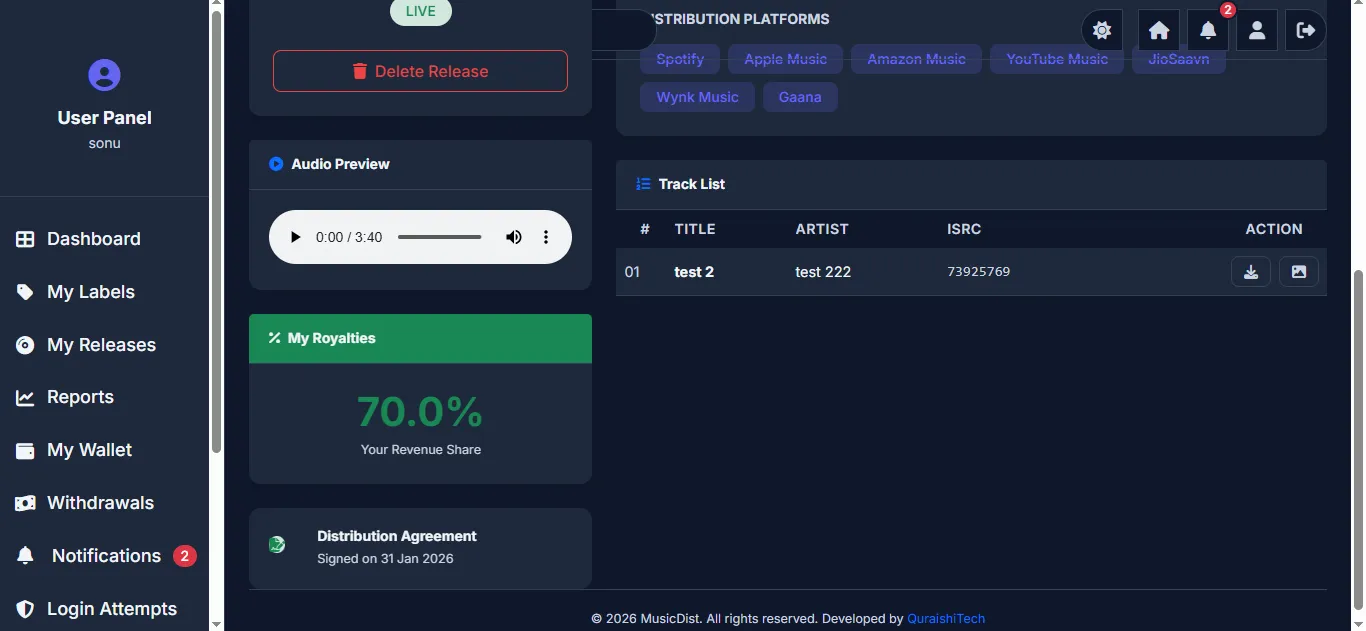
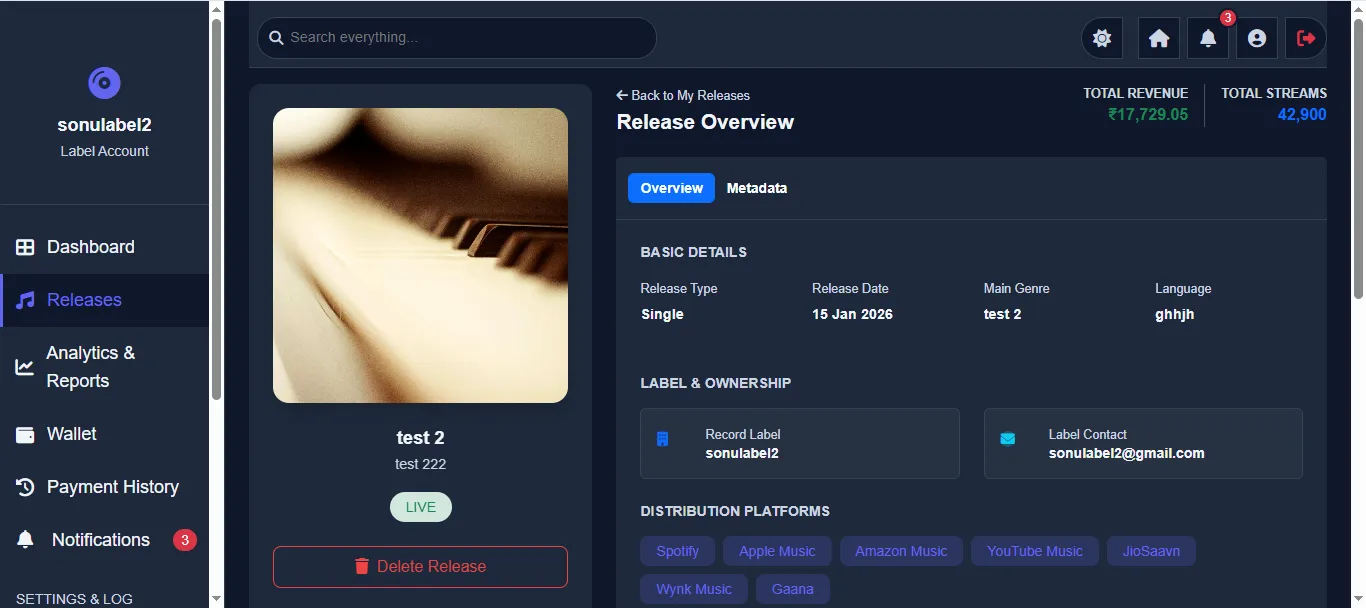
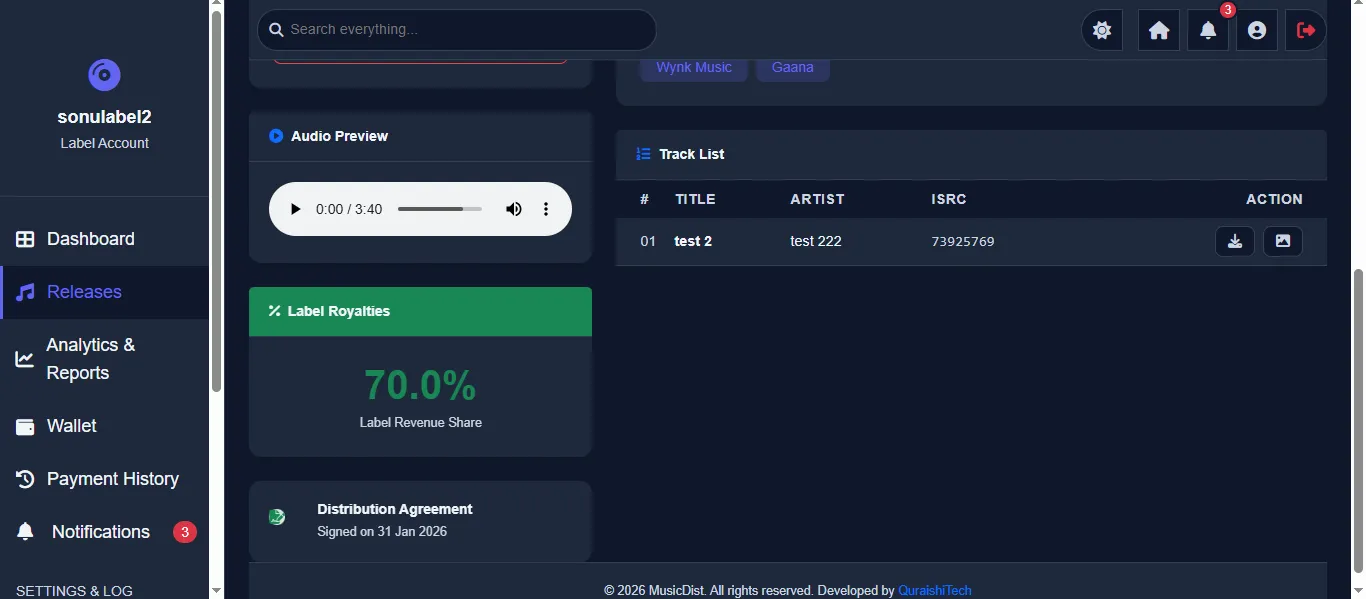
Full release overview showing artwork, title, artist name, LIVE status badge, audio preview player, and Delete Release option. Details panel shows tabs for Overview and Metadata. Overview includes Basic Details (type, date, genre, language), Label & Ownership info, Distribution Platforms (Spotify, Apple Music, Amazon Music, YouTube Music, JioSaavn, Wynk Music, Gaana), Total Revenue, and Total Streams.
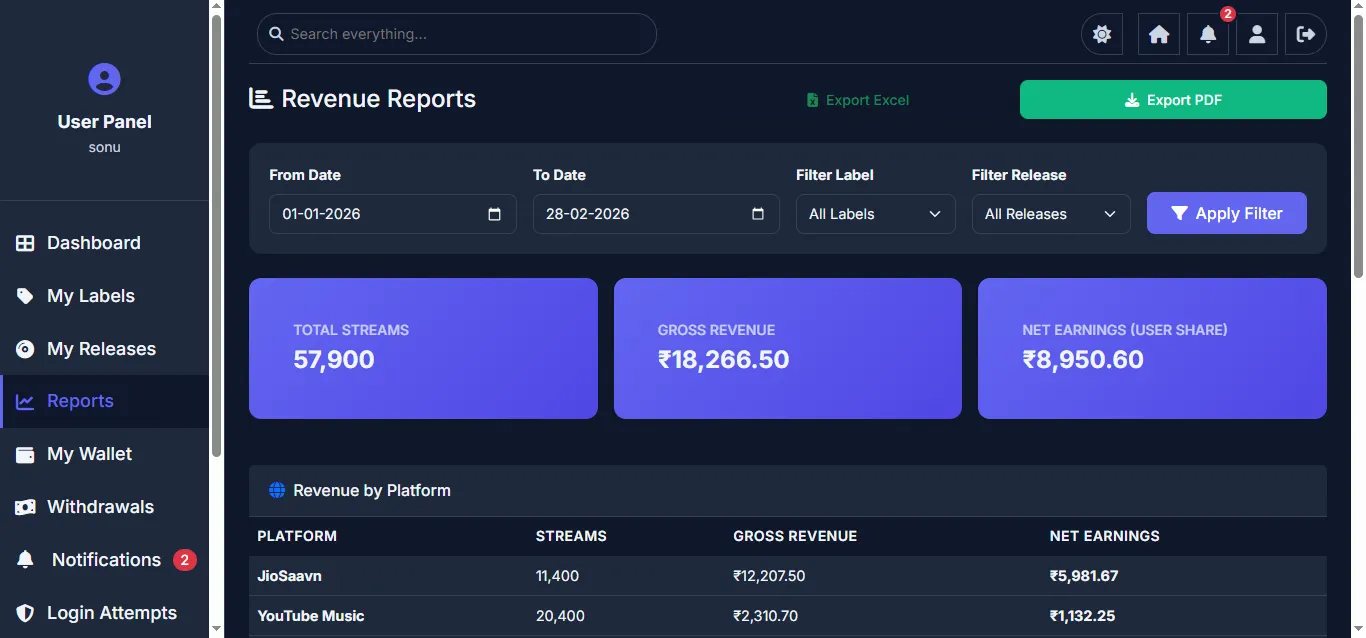
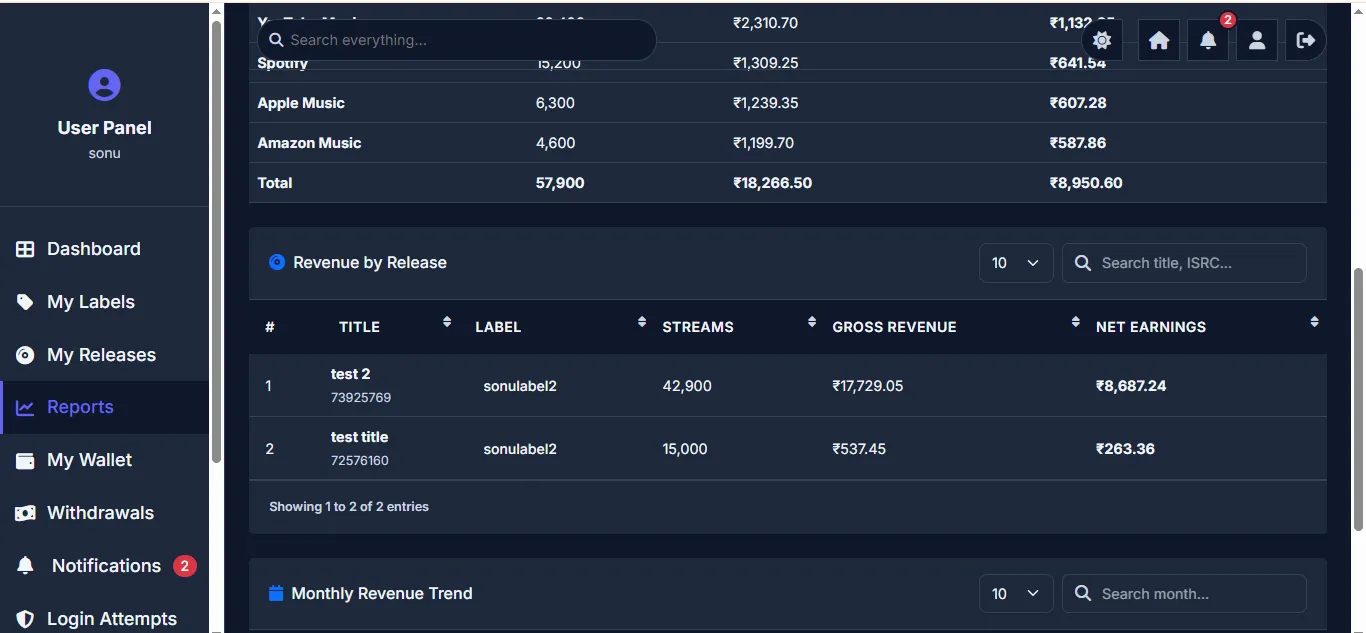
Detailed revenue analytics showing earnings breakdown by platform and release. Users can view platform-wise revenue reports with date filters, monthly trend charts, and export reports to Excel for accounting purposes.
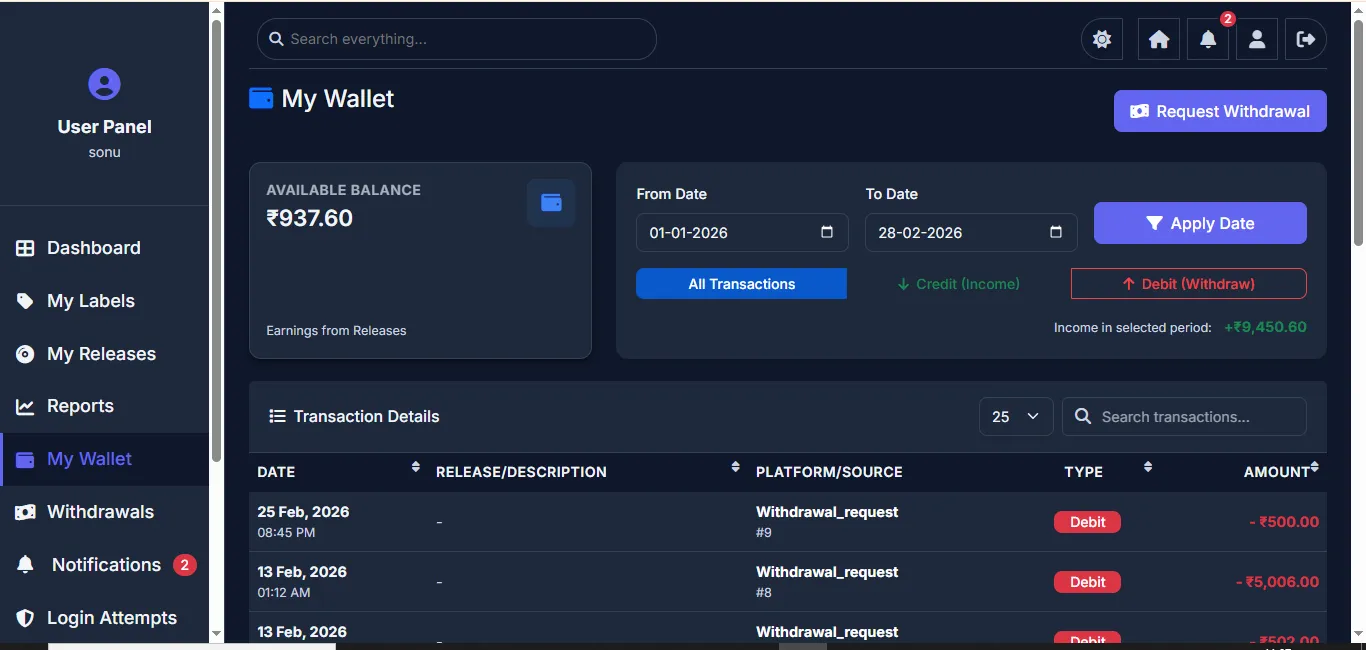
Personal wallet showing current balance with complete transaction history. Each transaction shows date, release, platform, label, and amount credited. Users can filter transactions by date range. The wallet balance updates automatically when admin uploads revenue data.
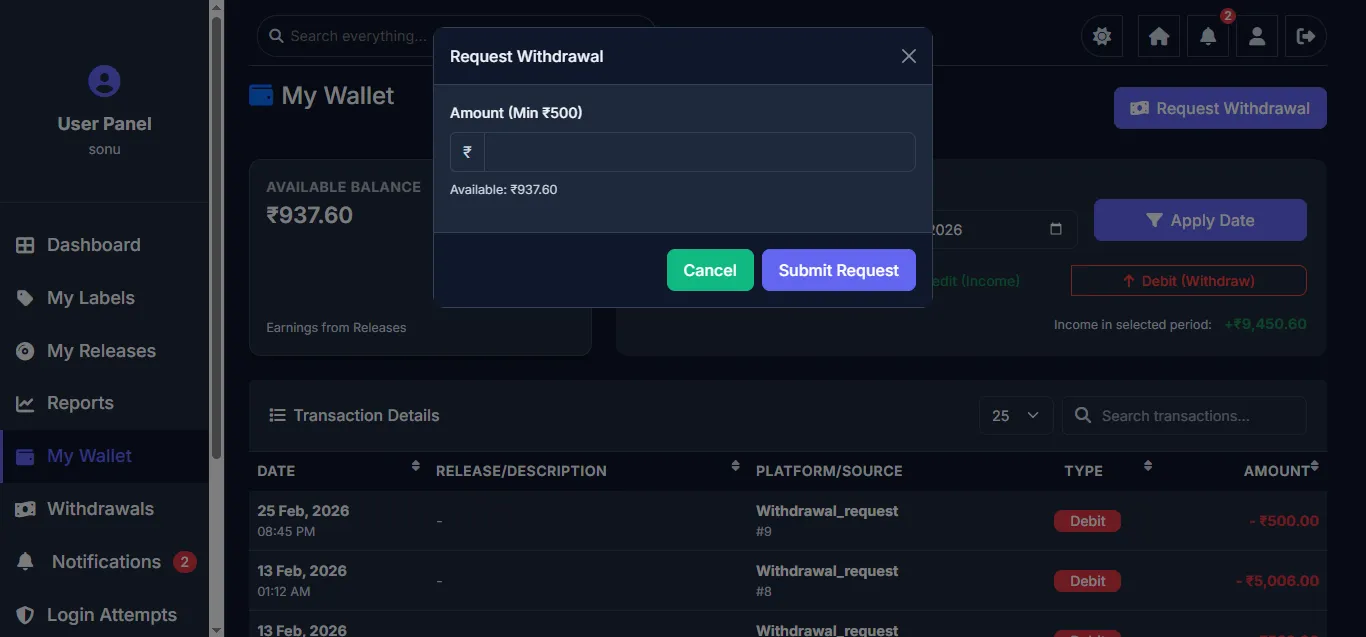
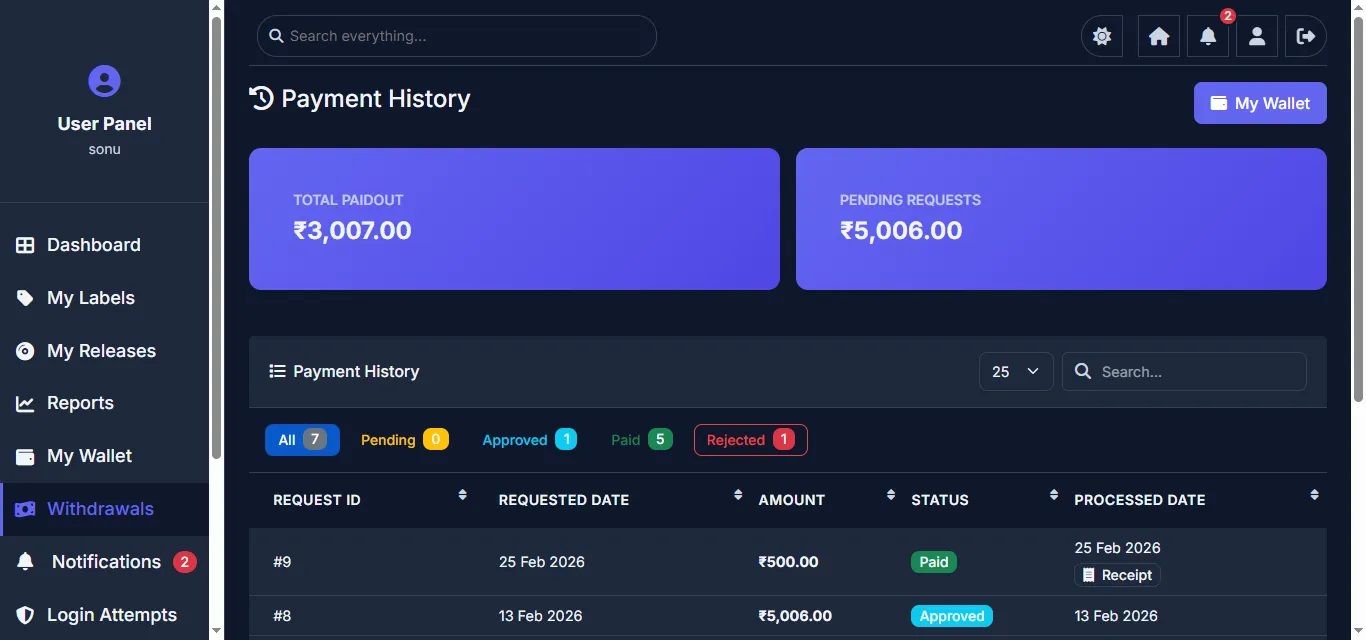
Users can request withdrawals from their wallet balance. The Payment History page shows Total Paidout and Pending Requests. All withdrawal requests are listed with Request ID, date, amount, status (Pending, Approved, Paid, Rejected), and processed date. Paid requests include a downloadable Receipt. Users can track the complete lifecycle of each withdrawal.
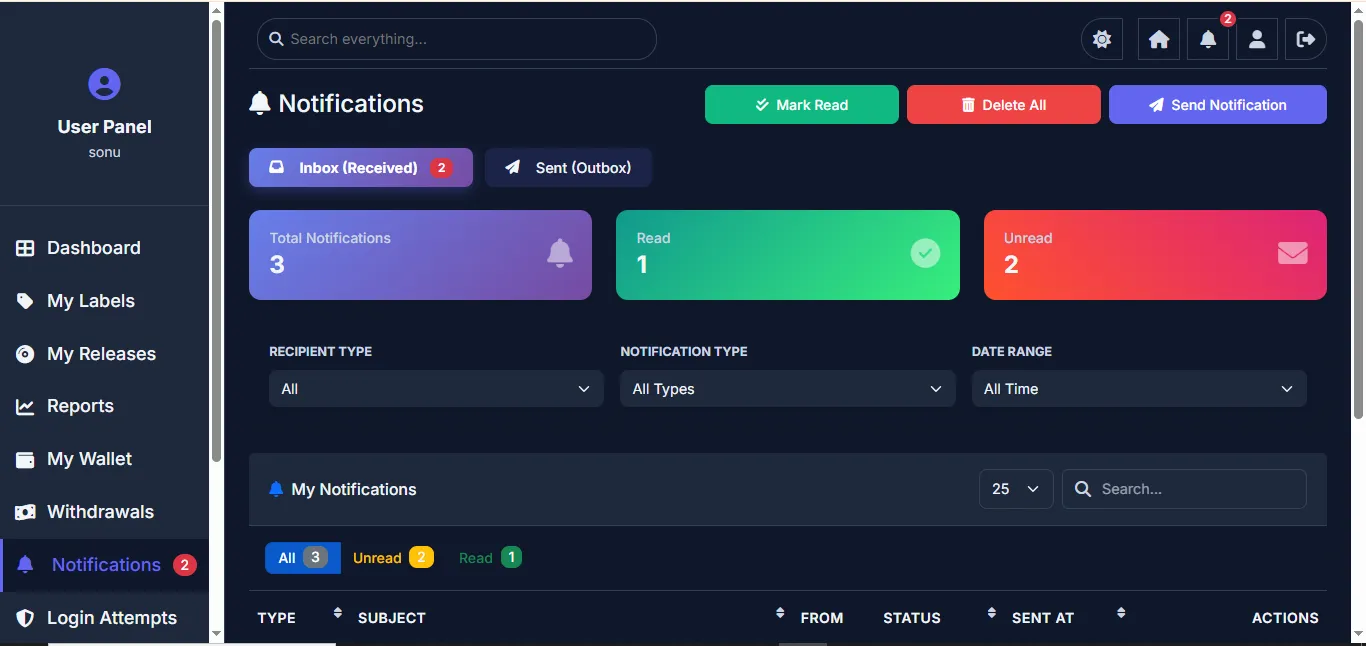
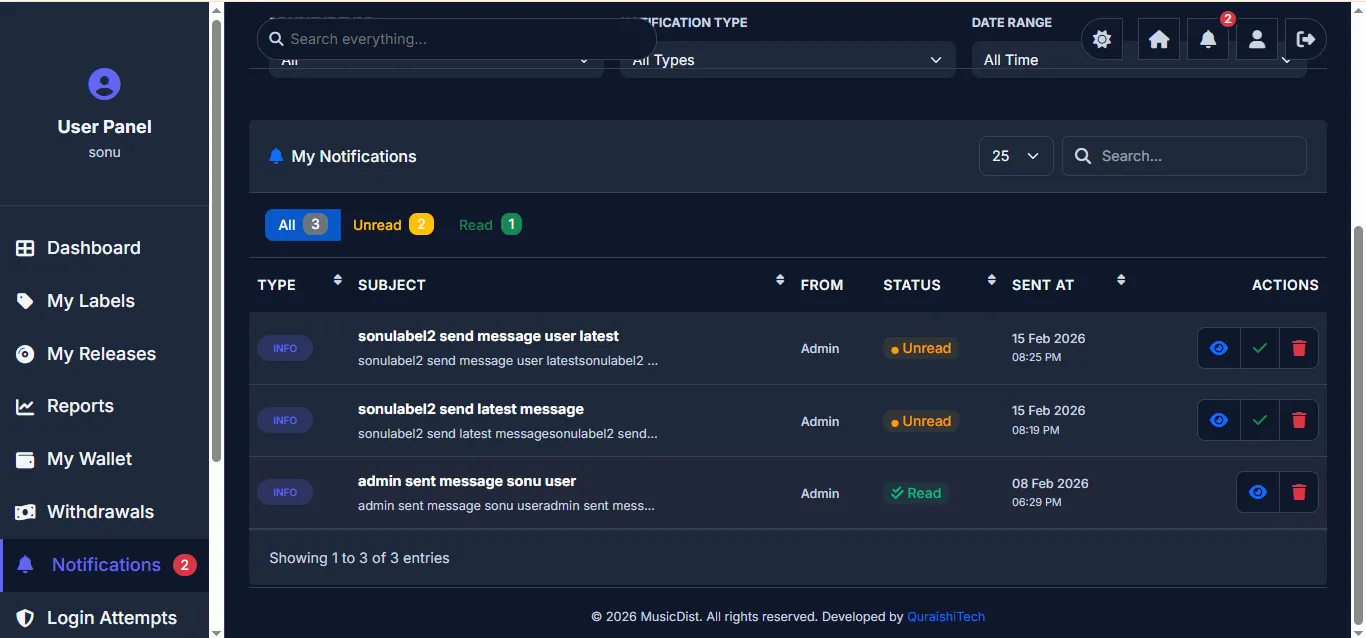
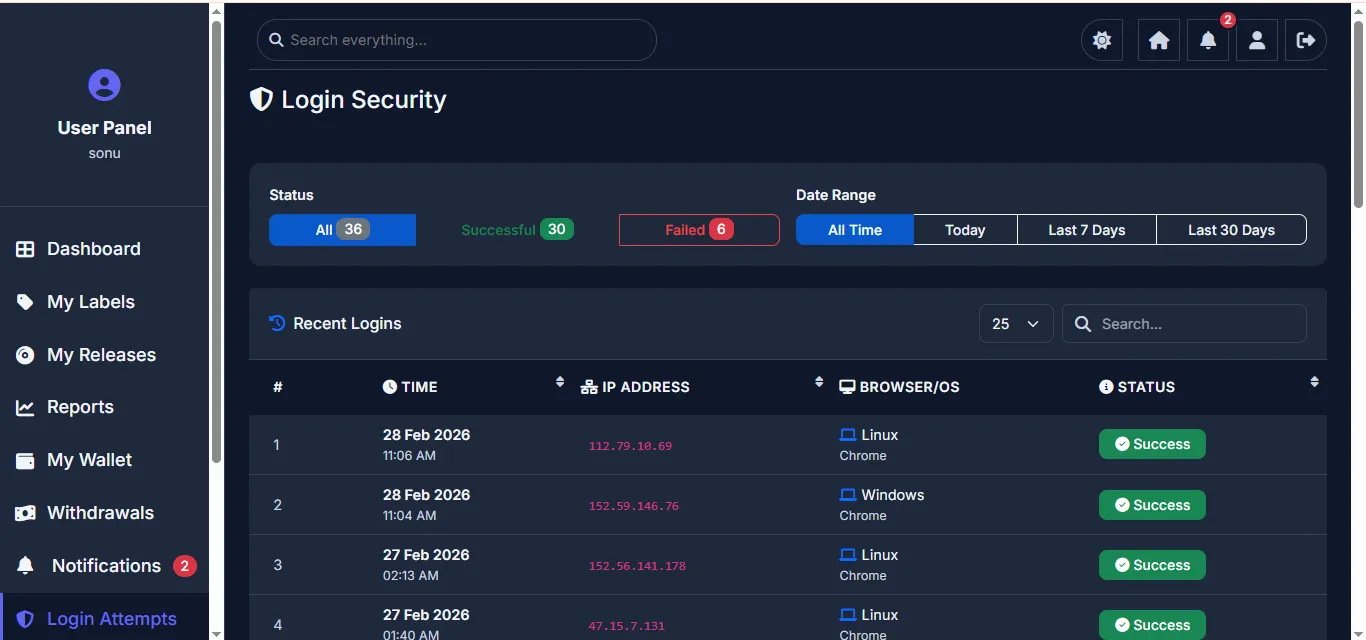
In-app notification system showing messages from admin with Read/Unread status tracking. User can send messages to admin and view notification history. Profile management includes Personal Information, KYC details (PAN, Aadhaar), Bank & UPI details, and Security settings. Login Attempts page shows recent login activity for security monitoring.
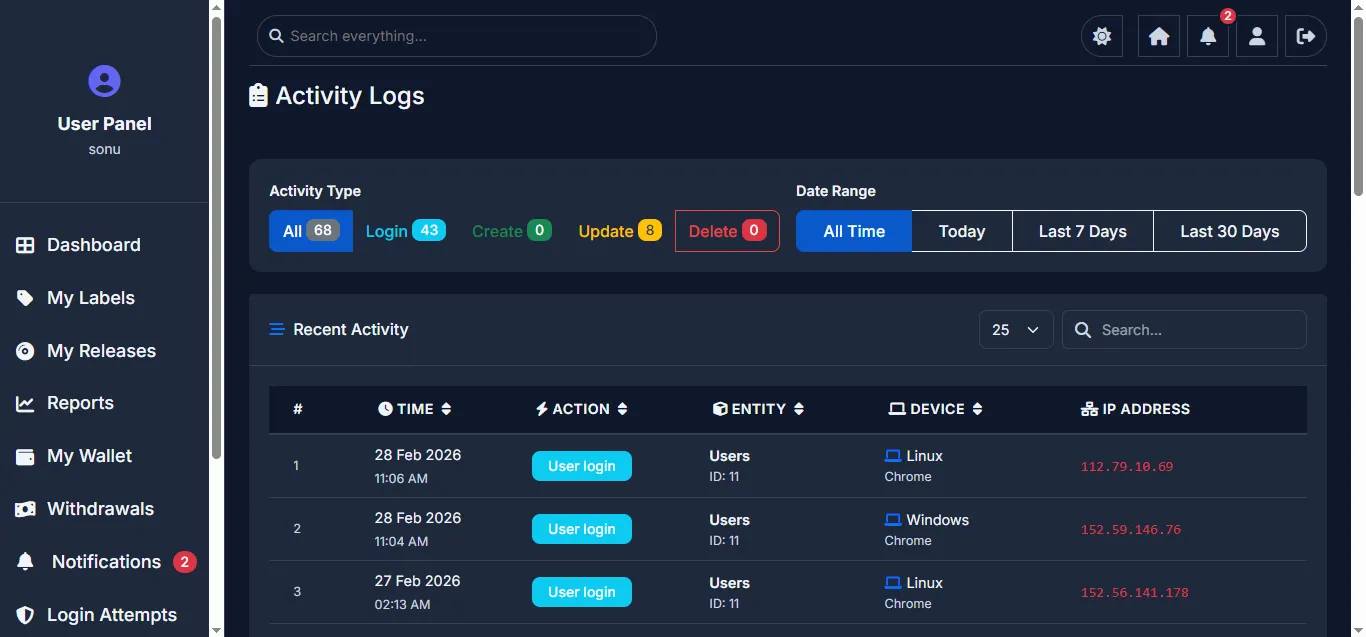
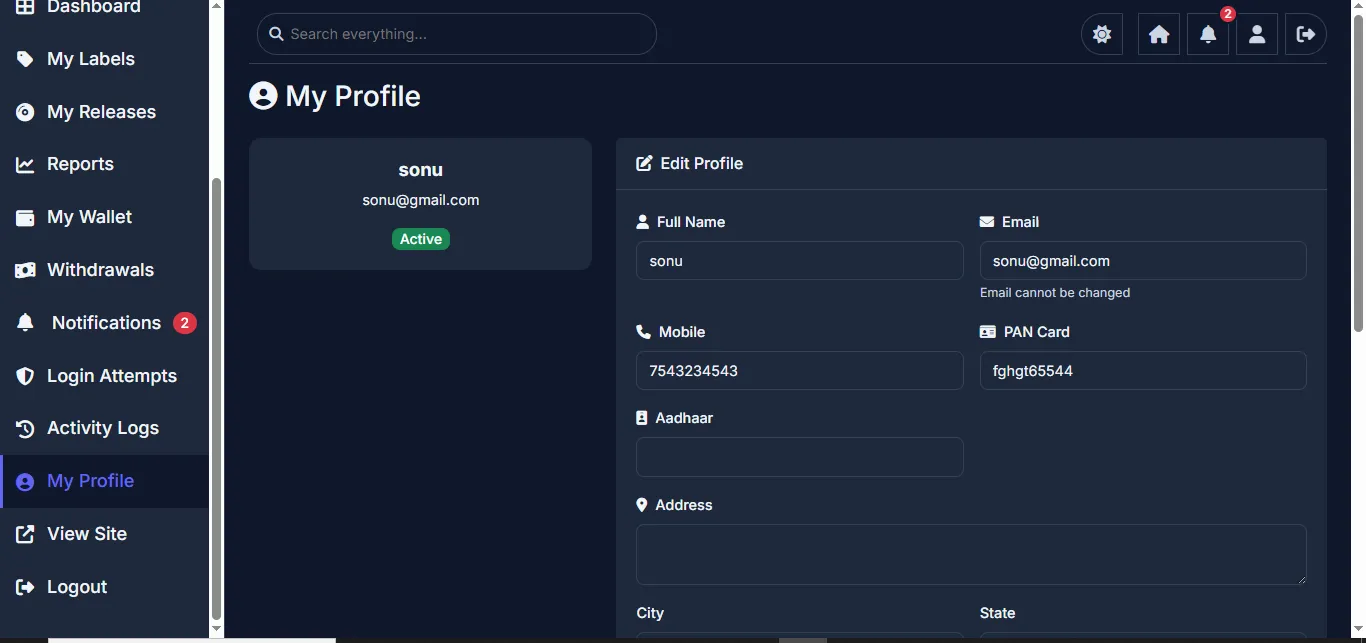
- Dashboard with analytics & revenue charts
- Multi-step release submission wizard
- Create & manage multiple labels
- Detailed revenue reports with filters
- Wallet with full transaction history
- Withdrawal request system
- Profile & KYC management (PAN/Aadhaar)
- Bank details & UPI management
- In-app notifications
- Activity logs & login history
10Record Label Panel
Independent dashboard for record labels created by artists.
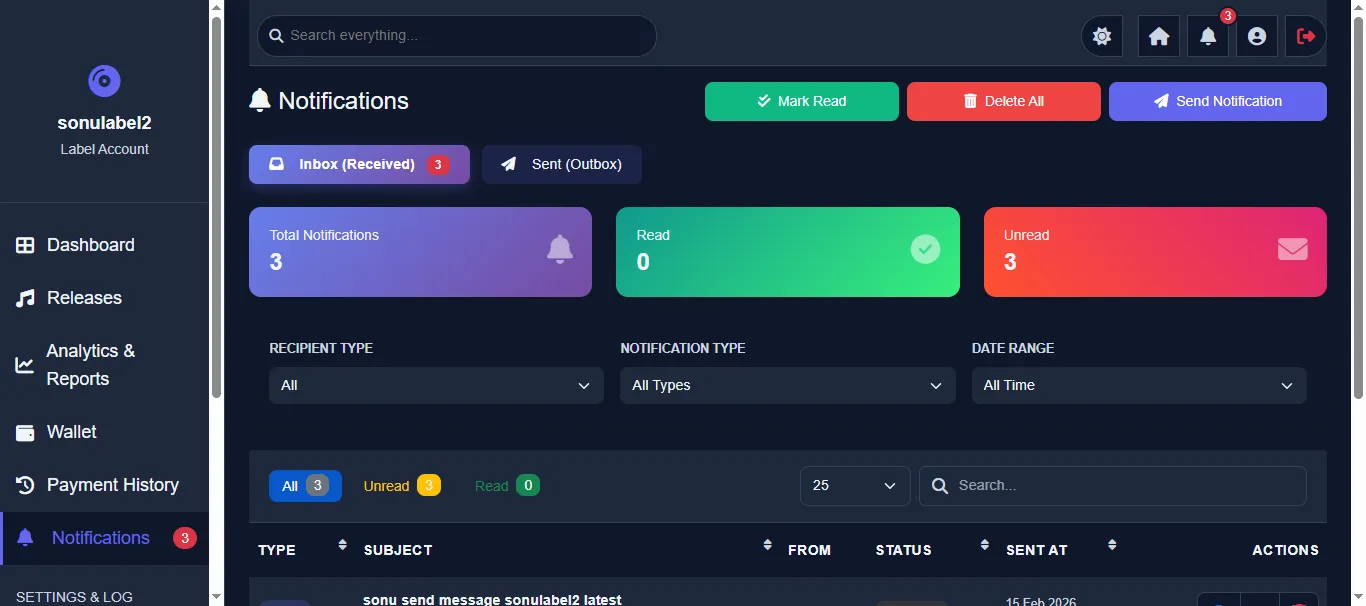
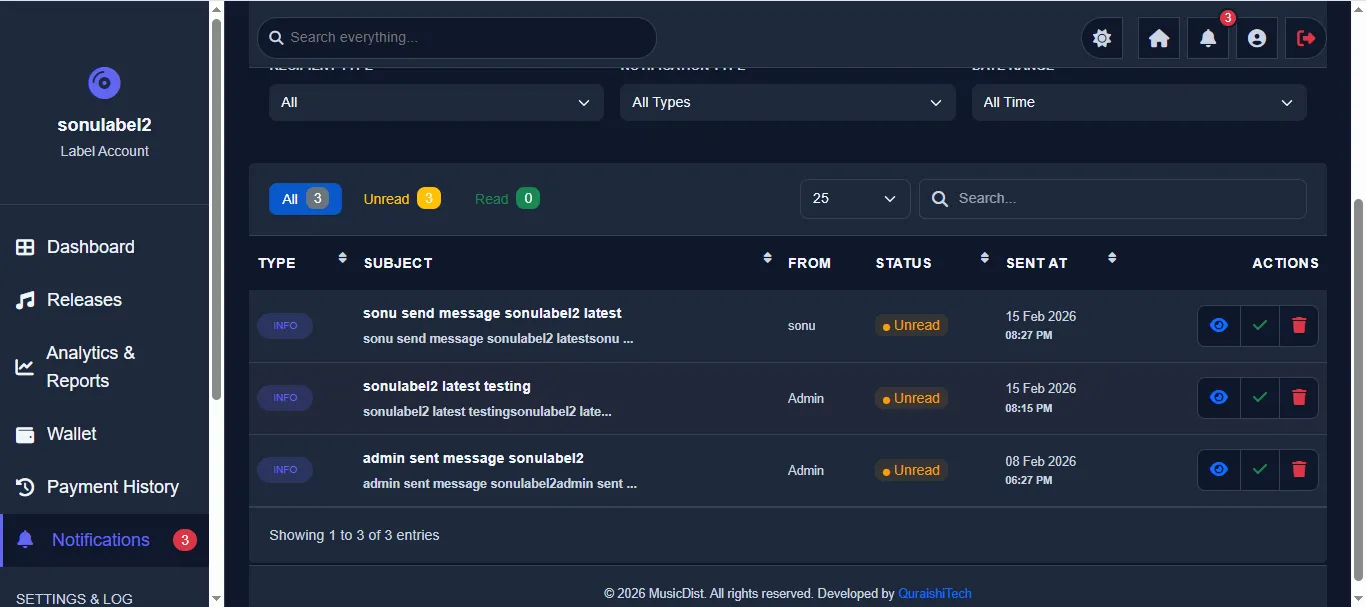
Each label gets its own independent login with a unique email and password (sent via welcome email). The Label Dashboard shows Total Revenue, Total Paid, Pending Withdrawal, Wallet Balance, Pending Releases, Total Streams, Active Artists, and Live Releases. Revenue Trend and Platform Split charts provide visual analytics. The sidebar includes Dashboard, Releases, Analytics & Reports, Wallet, Payment History, and Notifications. Labels can manage their releases, track earnings, request withdrawals, and communicate with admin — all independently from the parent user account.
The label dashboard mirrors the user dashboard structure but shows label-specific data. Financial stats show Total Revenue, Total Paid, Pending Withdrawal, and Wallet Balance for this specific label only. Activity metrics show Pending Releases, Total Streams, Active Artists, and Live Releases. Revenue Trend chart and Platform Split chart provide visual analytics specific to this label's performance.
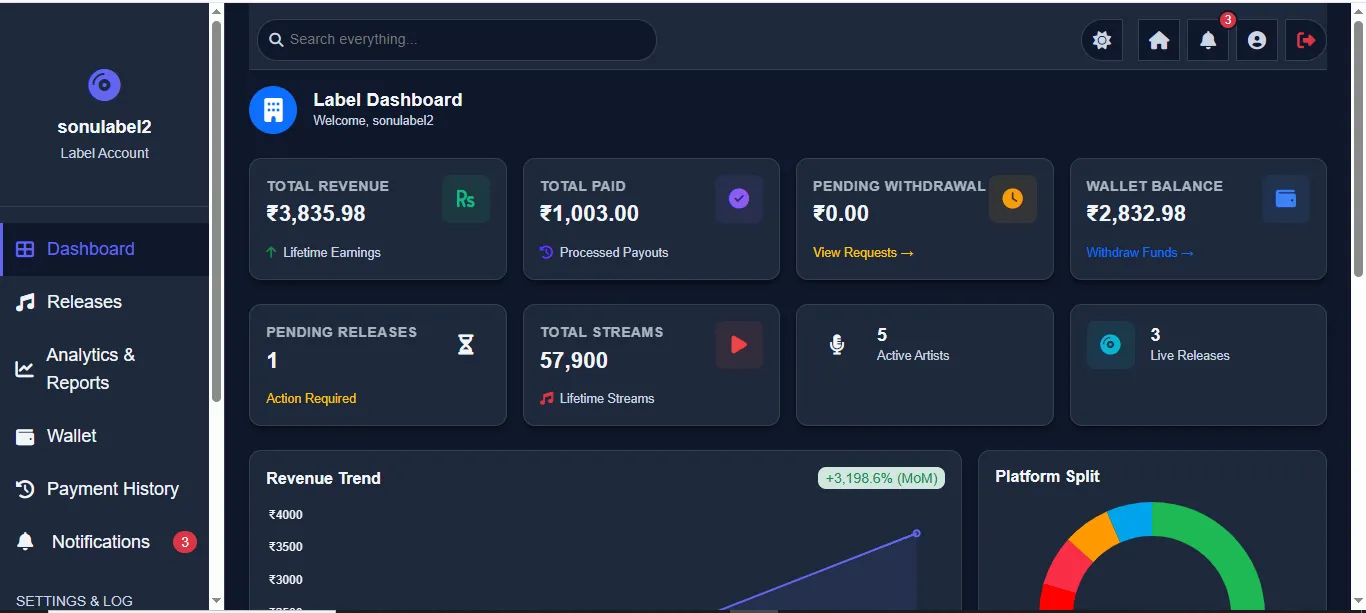
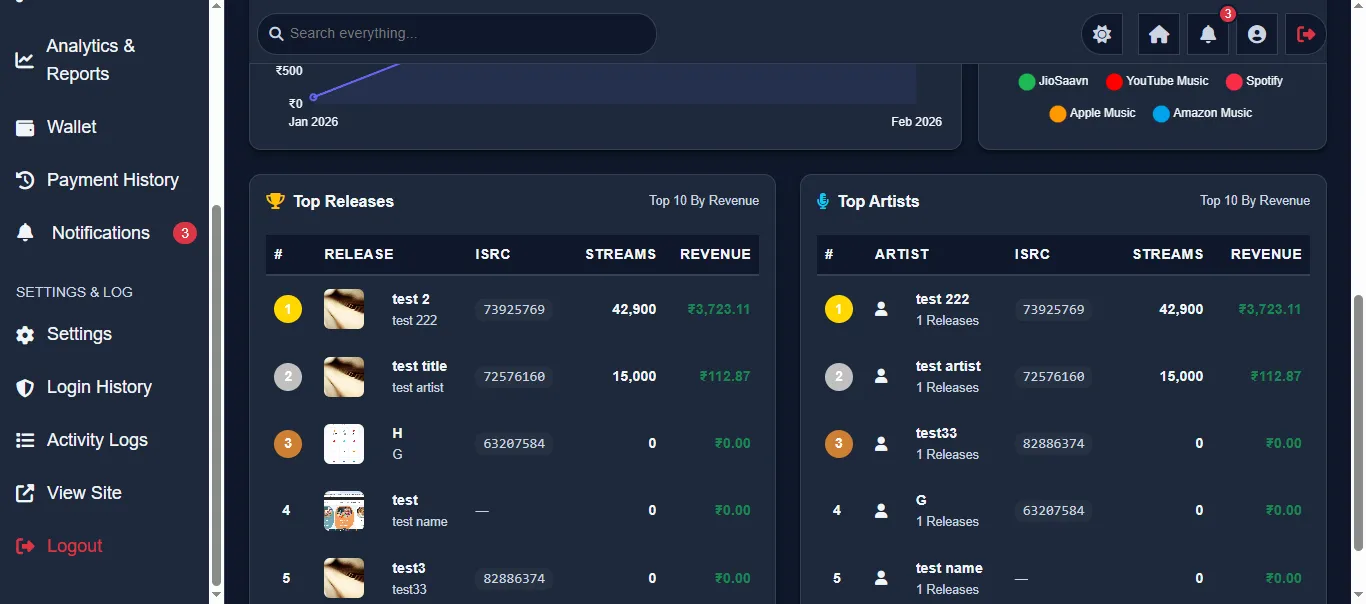
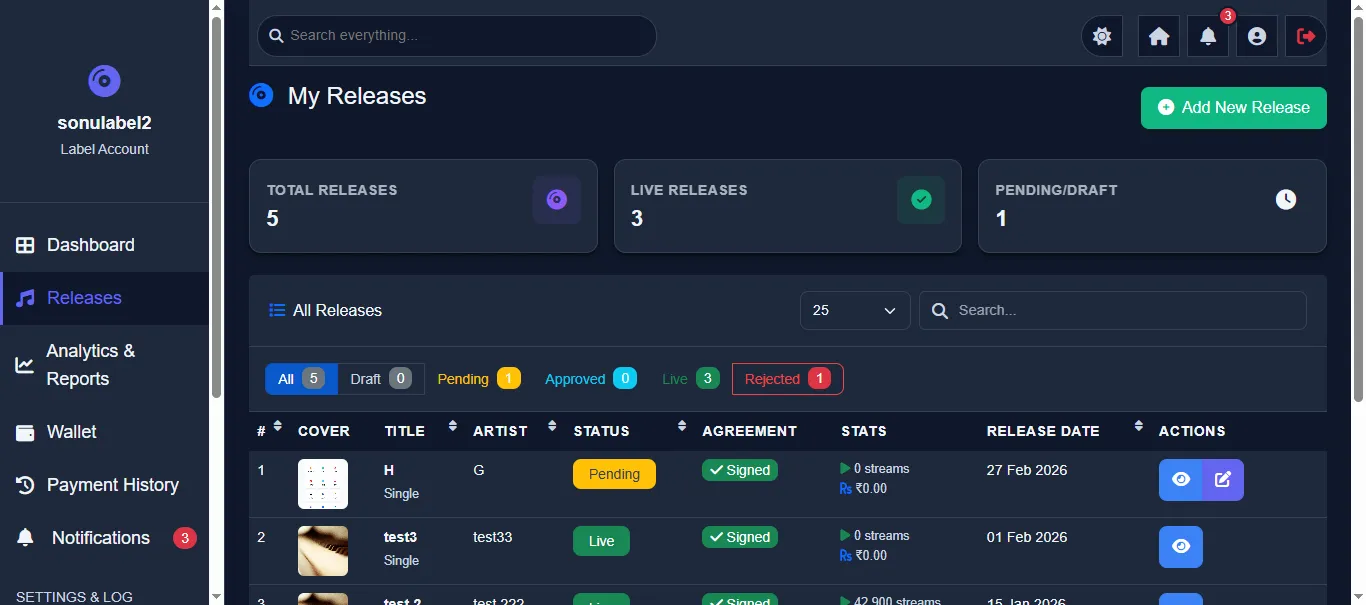
Manage releases submitted under this label. View all releases with cover art, title, ISRC code, status, and release date. Create new releases through the same multi-step wizard. Release Overview shows full details including artwork, distribution platforms, revenue, and streams.
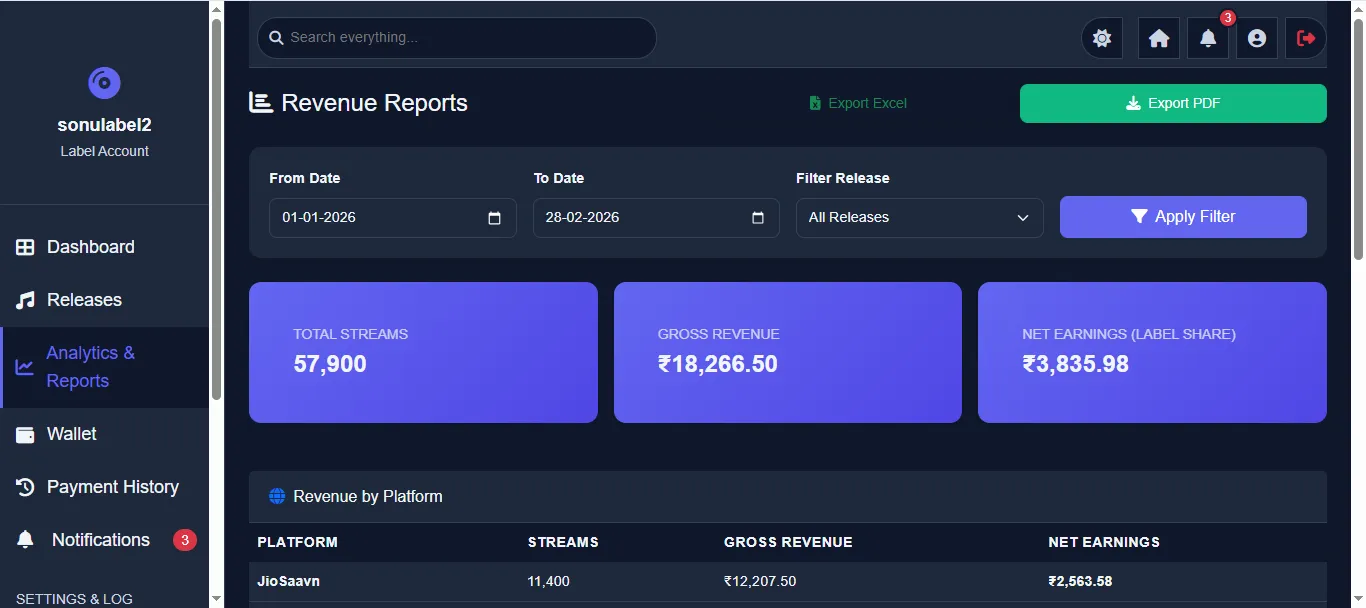
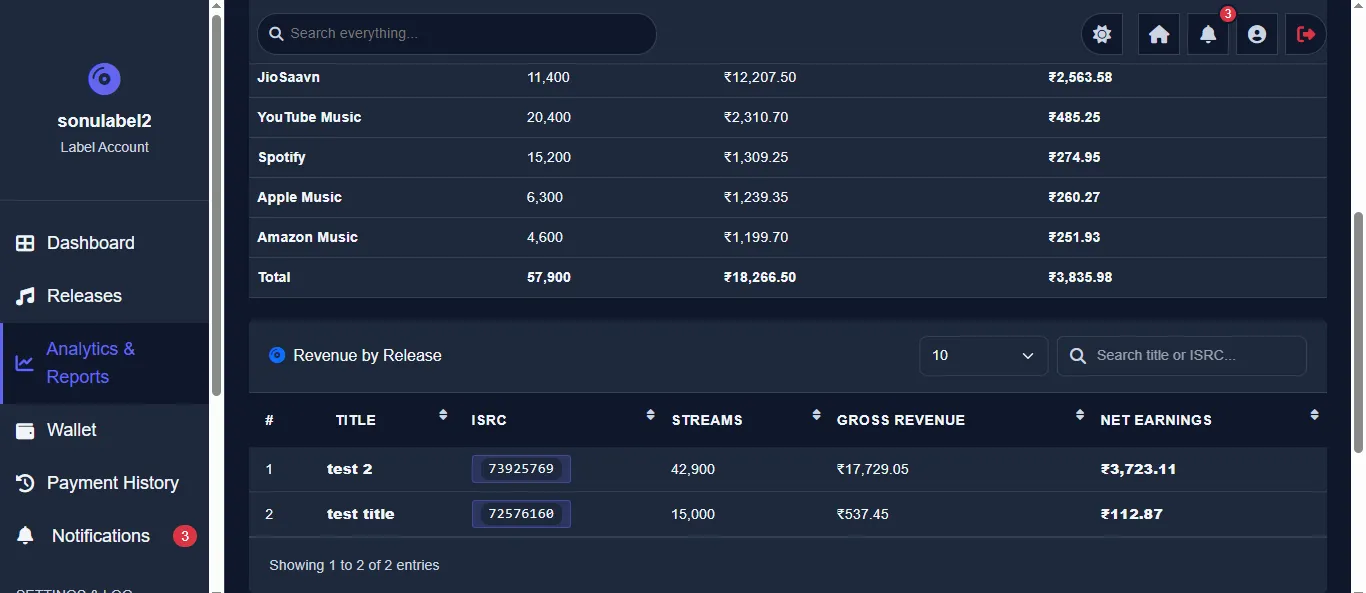
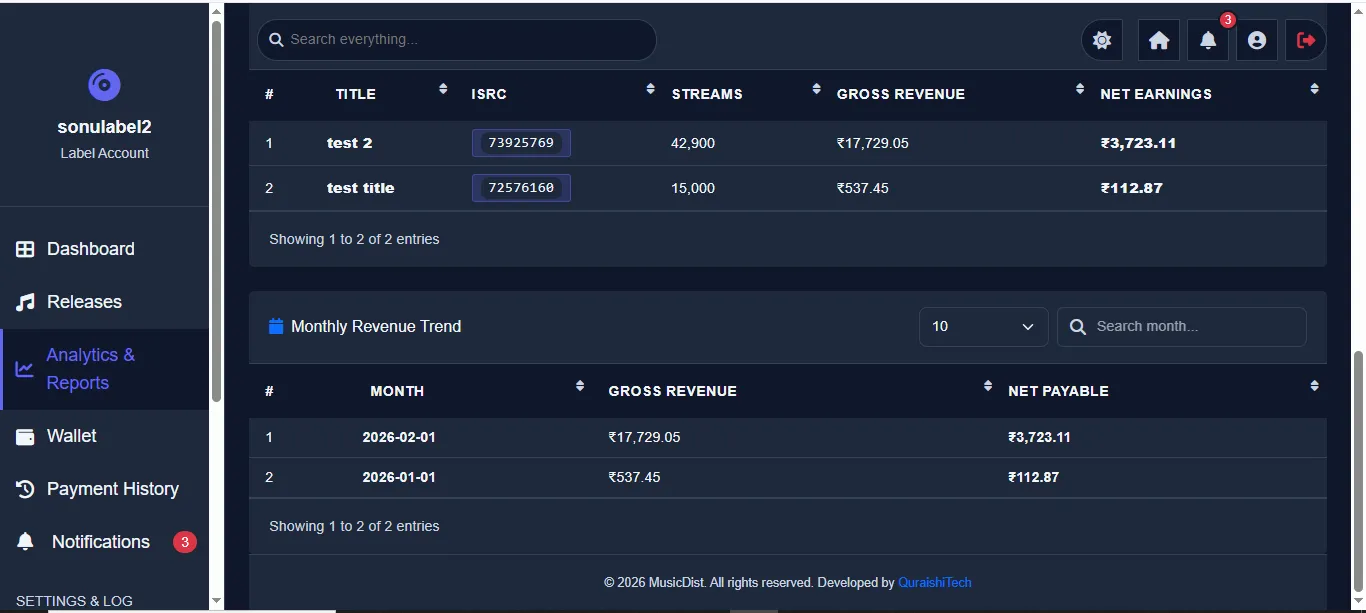
Label-specific revenue reports with platform-wise breakdown. View revenue by platform, by release, with date filters and export options. Monthly trend analysis helps track label growth over time.
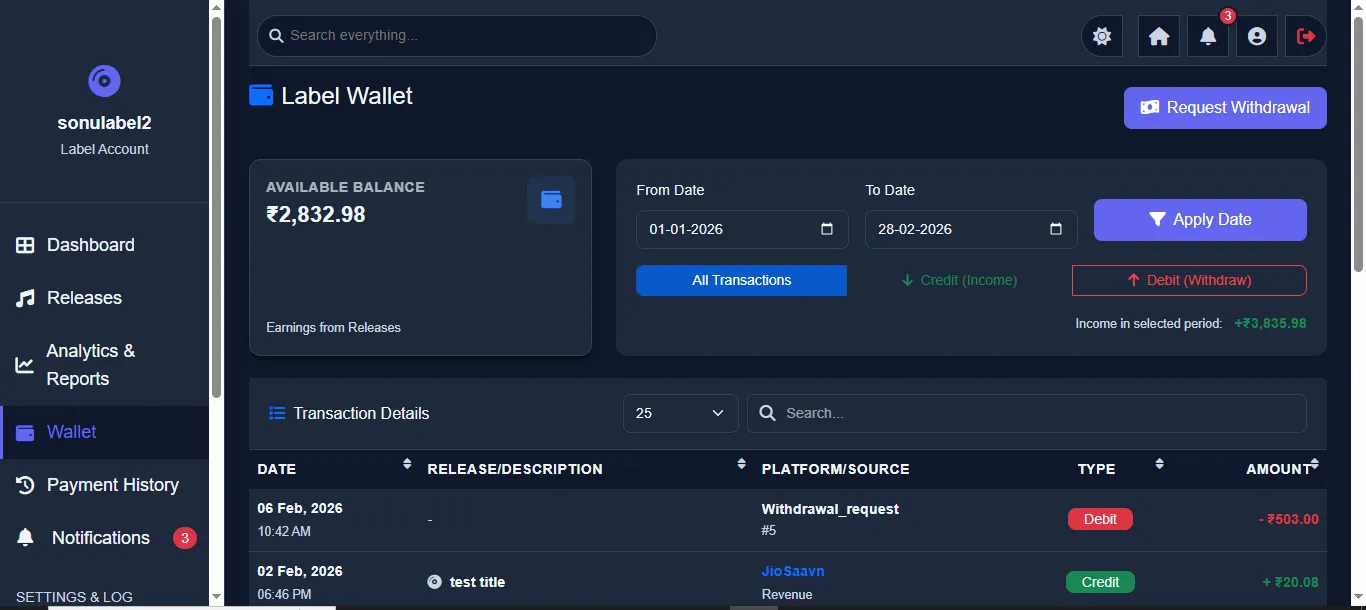
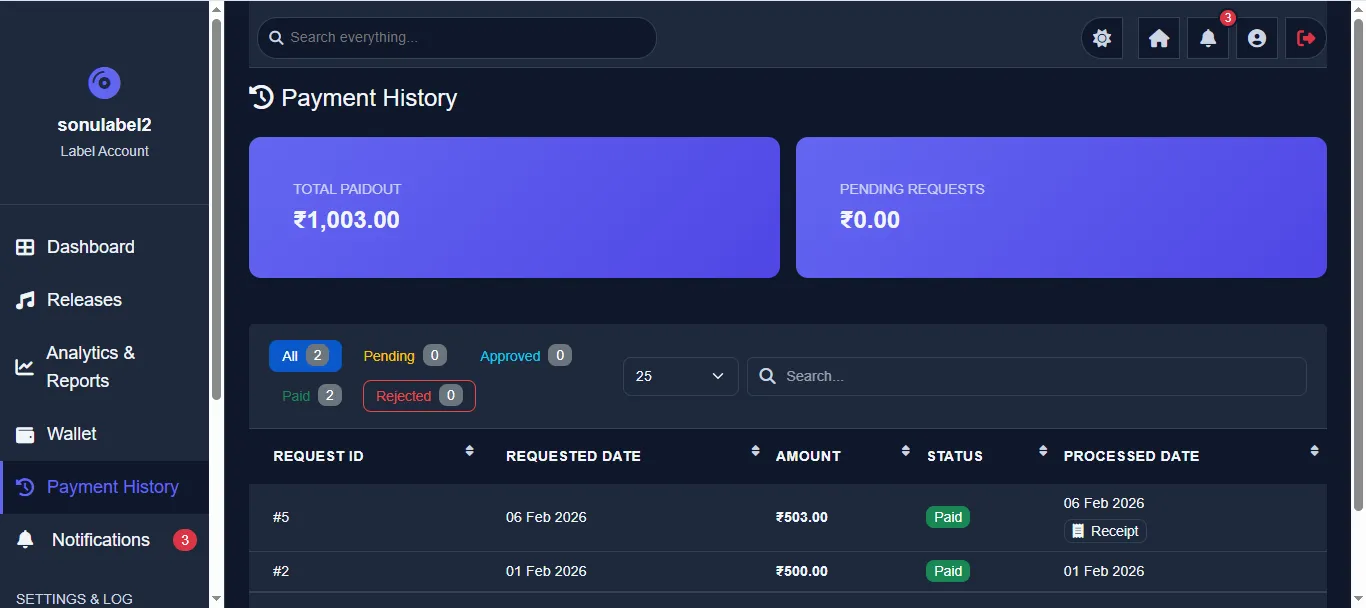
Independent wallet for each label with its own balance and transaction history. Labels can request withdrawals separately from the parent user. Payment History tracks all payout requests with status and receipts.
Label-specific notification system and profile management. Labels can communicate with admin, manage their profile info, KYC documents, bank details, and security settings independently.
- Independent dashboard with stats
- Release management (add, edit, view)
- Revenue reports by platform & date
- Monthly revenue trend analysis
- Wallet & transaction history
- Payment history from admin
- Label profile & bank details
- Notifications & activity logs
11Security & Scalability
Enterprise-grade security measures and scalable architecture.
Security Features
Scalability Features
Chunked CSV Processing
Large revenue files are processed in chunks of 500 rows, preventing memory overflow and timeouts. Progress tracking shows processing status in real-time.
Background Email Queue
Emails are queued in the database and processed by a background worker. Failed emails are retried, old emails are auto-cleaned, preventing email server overload.
Optimized Queries
Database queries use proper indexing, pagination (25/50/100 per page), and server-side filtering. Heavy aggregation queries are optimized for performance.
Progressive Web App
Service worker caching, offline support, and installable on mobile devices. Reduces server load by caching static assets locally on user devices.
12Technology Stack
Technologies that power the Music Distribution platform.
| Layer | Technology | Purpose |
|---|---|---|
| Backend | PHP (Core) | Server-side logic, routing, business rules |
| Database | MySQL / phpMyAdmin | Relational data storage (18 tables), query management |
| Frontend | HTML5, CSS3, JavaScript | Responsive UI with dark mode, animations, charts |
| CSS Framework | Custom CSS + Bootstrap 5 | Grid system, components, responsive design |
| Charts | Chart.js | Revenue trends, platform split, analytics visualization |
| Maps | D3.js / TopoJSON | Interactive India map with state-wise user distribution |
| Icons | Font Awesome 6 | UI icons across all panels |
| PHPMailer / SMTP | Transactional emails (OTP, notifications, receipts) | |
| Excel Export | PhpSpreadsheet | Revenue report export, user/label data export |
| PWA | Service Worker | Offline support, installable app, push notifications |
| Server | Apache / Nginx | Web server with URL rewriting, SSL support |
| Hosting | Shared / VPS / Cloud | Deployable on any PHP-compatible hosting |
Database Schema (18 Tables)
User Tables
users, user_labels, login_attempts — manage user accounts, label associations, and security monitoring.
Content Tables
releases, release_tracks, platforms — store release metadata, track info, and distribution platform data.
Financial Tables
revenue, wallets, wallet_transactions, withdrawals — handle revenue data, wallet balances, transaction logs, and payout requests.
System Tables
admins, notifications, email_queue, settings, activity_logs — manage admin accounts, communications, emails, configuration, and audit trails.
13What You'll Receive
Everything included in the delivery package — ready to deploy.
Complete Source Code
All PHP, HTML, CSS, JavaScript files — fully documented, no encrypted files
Database Schema + SQL
18-table MySQL database with import-ready SQL file and schema documentation
6 Dashboard Panels
Super Admin, Admin, Sub Admin, Moderator, Artist/User, Record Label dashboards
Frontend Website
Responsive landing page with dark mode, animations, and mobile-optimized design
Deployment Guide
Step-by-step setup instructions for shared hosting, VPS, or cloud servers
Email Configuration
PHPMailer setup with SMTP for OTP, notifications & payment receipts
PWA Support Files
Service worker for offline support, installable app, and push notifications
Revenue CSV Template
Sample CSV format for revenue uploads with column mapping documentation
Post-Delivery Support
Setup assistance, bug fixes, and technical guidance during initial deployment
14Frequently Asked Questions
Common questions answered to help you make an informed decision.
Yes, every panel — Super Admin, Admin, Sub Admin, Moderator, User/Artist, and Record Label — is fully responsive and works seamlessly on mobile phones, tablets, and desktops. The frontend website also supports dark mode.
Absolutely. This is a 100% white-label solution. You can change the logo, company name, color scheme, favicon, and deploy on your own domain. No QuraishiTech branding will appear anywhere in the final product.
The admin uploads revenue data via CSV/Excel files. The system automatically matches ISRC codes, calculates the revenue split (Admin commission, User share, Label share), and credits the respective wallets. No external distributor API is involved.
The platform is built with scalable architecture — optimized database queries, chunked CSV processing (500 rows per batch), background email queue, and server-side pagination. It can comfortably handle 50,000+ users.
No. You receive the complete, unencrypted source code. All PHP, HTML, CSS, and JavaScript files are fully readable and editable. There are no hidden dependencies, license locks, or encoded files.
Any PHP-compatible hosting — shared hosting, VPS, or cloud (AWS, DigitalOcean, etc.). Requirements: PHP 7.4+, MySQL 5.7+, Apache/Nginx with mod_rewrite, and SMTP access for emails. A deployment guide is included.
Yes! A fully functional live demo is available at music.quraishitech.com. You can explore all panels and test every feature firsthand.
Yes. This system manages the distribution workflow (release submission, approval, revenue tracking, payments) but does not include direct integration with distributors like Believe or Coretune. You need your own distributor account.
Hosting and domain are the client's own responsibility. You will need to purchase your own hosting (shared, VPS, or cloud) and domain name separately. We provide a complete deployment guide so you can easily set up the system on your server. Hosting and domain costs are not included with the product.
Contact Information

© 2026 MusicDist. All rights reserved. Developed by QuraishiTech.